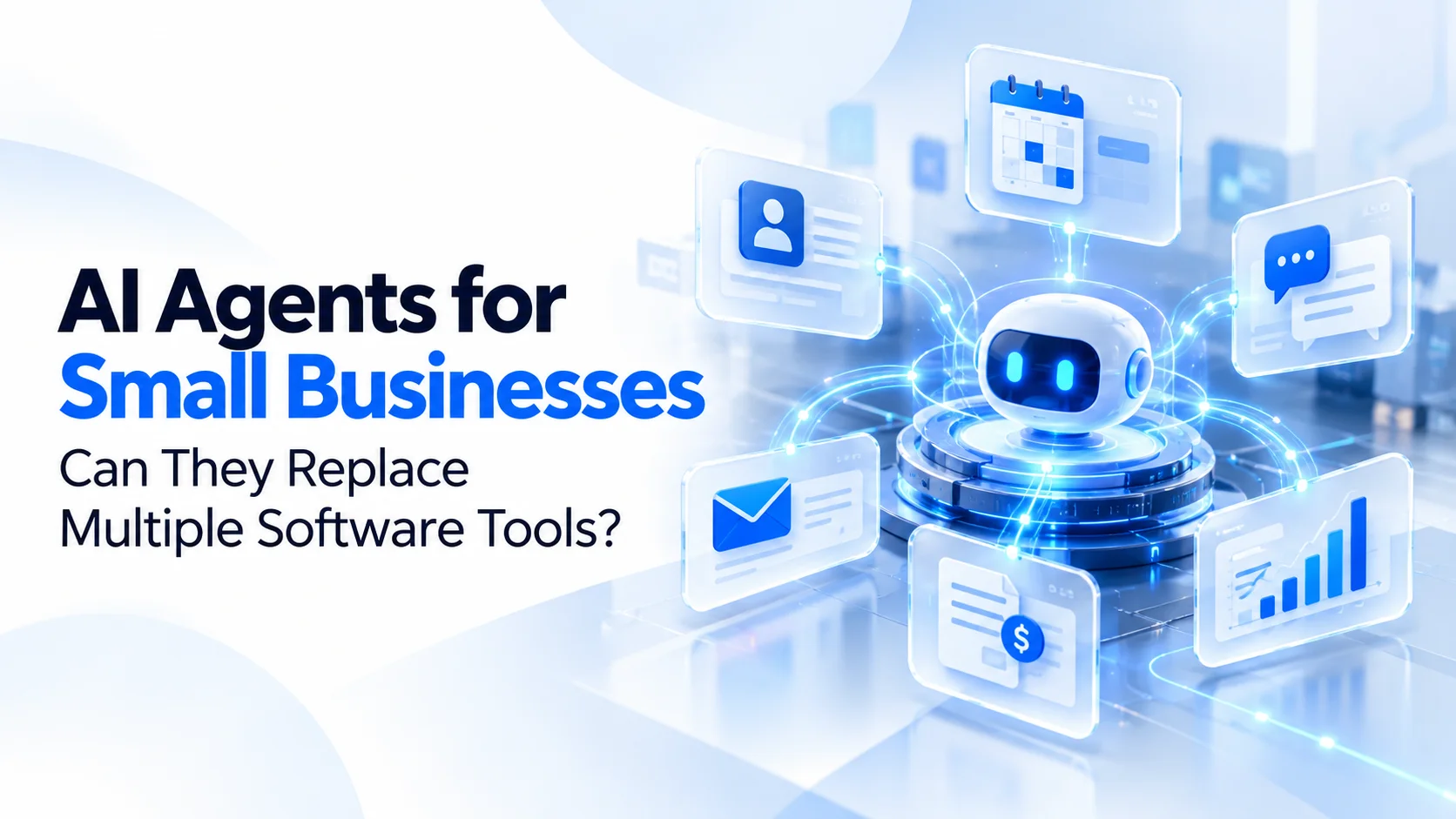
AI Agents for Small Businesses: Can They Replace Multiple Software Tools?
A practical 2026 guide to replacing repetitive software workflows, reducing SaaS complexity, and building connected business systems with AI agents.
Sections
AI Agents for Small Businesses: Can They Replace Multiple Software Tools?
Running a small business often means managing more software than you expected. One tool handles customer relationships, another manages appointments, a third tracks projects, and several more take care of payments, emails, support, and reporting. Each platform solves a problem, but keeping them connected creates a new one.
Now, AI agents are changing how businesses think about these tools. Instead of asking employees to move information between different applications, businesses can use AI-powered systems to understand requests, retrieve data, coordinate workflows, and complete certain tasks automatically.
That raises an important question for business owners in 2026: Can AI agents replace multiple software tools, reduce subscription costs, and simplify daily operations?
The answer is yes for some workflows, but not necessarily for the underlying software. The biggest opportunity is not replacing every SaaS subscription with an AI chatbot. It is creating a connected business system where AI handles repetitive work while reliable software continues managing critical records, payments, permissions, and transactions.
What Are AI Agents for Small Businesses?
An AI agent is a software system that uses artificial intelligence to interpret a goal, decide which steps to take, interact with connected tools, and perform actions within defined limits. Unlike a basic chatbot that mainly responds to questions, an AI agent can work across multiple steps of a business process.
For example, a customer might ask a fitness studio to reschedule a class. A conventional chatbot could explain the rescheduling policy. A properly integrated AI agent could check the customer's booking, look up available slots, apply cancellation rules, propose alternatives, and update the booking after receiving any required approval.
This is the practical meaning of agentic AI for business: AI that can participate in workflows rather than simply generate text.
AI agents typically combine large language models, APIs, business data, automation tools, and rules that control what actions they are allowed to perform. Some use a single agent to manage a workflow, while more complex systems use multiple specialized agents for different responsibilities.
AI Agents vs. Traditional Automation
Traditional business process automation follows predefined instructions. For example, when a customer submits a form, the system creates a CRM record and sends a confirmation email. This is predictable and useful, but it can struggle when requests arrive in different formats or require interpretation.
AI workflow automation adds the ability to understand natural language, classify requests, extract information from documents, and select appropriate predefined actions. A customer might send a message saying, "Can I move my Thursday appointment to sometime next week?" An AI agent can interpret the intent, search for relevant availability, and initiate the approved scheduling workflow.
However, AI agents should not replace deterministic business logic when accuracy is essential. Payment calculations, inventory deductions, account balances, and booking conflict checks should still be enforced by reliable software rules.
Why Small Businesses Are Exploring AI Agents in 2026
AI adoption is no longer limited to large technology companies. Small businesses are increasingly using AI for marketing, customer communication, administrative work, and data processing. The next challenge is moving from individual AI tools to connected operational workflows.
According to Intuit QuickBooks' 2026 Small Business Insights, 80% of surveyed small and midsize businesses reported regularly using AI, while 18% of businesses using AI described it as core to their operations. These findings cover AI broadly, not specifically autonomous AI agents, but they show how widely AI has entered everyday business activity.
Source: Intuit QuickBooks Small Business Insights.
Research from McKinsey's 2026 State of AI report highlights another important development. About 32% of respondents said their organizations had decided against purchasing at least one software product or feature because they could build the functionality internally using agentic coding tools. This does not mean AI agents have replaced 32% of business software. It shows that AI-assisted development is beginning to influence build-versus-buy decisions.
Source: McKinsey, The State of AI in 2026.
Microsoft's 2026 Work Trend Index also emphasizes the shift toward employees working alongside AI agents that execute parts of their work. Its research suggests that realizing the benefits requires changes to workflows, management, and organizational practices, not simply installing an AI tool.
Source: Microsoft 2026 Work Trend Index.
For small businesses, the practical opportunity is clear: reduce unnecessary manual coordination between tools, improve access to information, and give employees more time for work that requires human judgment.
Can AI Agents Actually Replace Multiple SaaS Tools?
AI agents can replace or consolidate certain software functions, but they usually work best when connected to existing business systems. Whether a subscription can be eliminated depends on what that application actually does.
Consider a company using separate tools for lead capture, appointment reminders, customer follow-ups, task assignment, and weekly reporting. An AI-powered business platform might combine several of these workflows through a shared interface and central database.
But a system responsible for regulated accounting records, payment processing, or complex inventory management cannot safely be replaced by an AI model generating answers. Those functions need structured data, transactional integrity, permissions, and dependable validation.
Which Business Tools Can AI Agents Consolidate?
Software CategoryWhat AI Agents Can HandleWhat May Still Be NeededCRM and SalesLead qualification, follow-up drafts, contact summaries, and task creationCustomer database, permissions, sales records, and reportingCustomer SupportCommon questions, ticket classification, response drafts, and routingTicket history, escalation management, and support recordsSchedulingBooking requests, reminders, rescheduling assistance, and availability searchesReliable calendar, availability, and conflict-prevention logicProject ManagementProgress summaries, task suggestions, and meeting action itemsProject records, accountability, and approval workflowsReportingData summaries, natural-language questions, and scheduled insightsTrusted data sources, analytics calculations, and audit trailsAccountingInvoice data extraction, expense categorization suggestions, and reconciliation assistanceAccounting ledger, tax rules, financial controls, and professional review
The distinction is important. An AI agent may reduce the need for a separate reporting dashboard or reminder service, but that does not automatically eliminate the need for a CRM, accounting system, or booking database.
5 Practical AI Agent Use Cases for Small Businesses
1. AI Sales Agents for Lead Management and Follow-Ups
Small sales teams often spend significant time copying lead details from forms, reviewing inquiries, updating CRM records, and preparing follow-up messages. An AI sales agent can help by classifying inbound inquiries, extracting relevant requirements, checking existing customer records, and preparing personalized responses for review.
For example, a software agency receiving inquiries from its website could use an agent to identify the prospect's industry, requested services, expected timeline, and project requirements. The system could create a structured lead record, suggest the next action, and notify the appropriate salesperson.
This is especially useful for businesses that receive leads through several channels but do not have a dedicated operations team. The objective is faster response and better organization, not automatically sending uncontrolled sales messages.
2. AI Customer Support Agents
Customer service teams repeatedly answer questions about availability, order status, pricing, refunds, and service policies. A connected AI customer support agent can retrieve approved information, answer routine questions, and escalate unusual requests to a human team member.
For an online retailer, the agent could look up an order's current status through an authorized API and explain the next delivery step. For a membership business, it could answer questions about plans, renewals, and booking policies using the company's actual records.
The key requirement is grounding answers in trusted business information. An AI agent should not invent refund approvals, discounts, or delivery promises when the underlying system does not support them.
3. AI Scheduling and Booking Automation
Appointment-based businesses frequently rely on a combination of calendars, messaging applications, spreadsheets, and booking platforms. This creates unnecessary coordination for customers and employees.
An AI scheduling agent can interpret booking requests, retrieve real-time availability, suggest suitable appointments, and initiate reminders. It can also support cancellation or rescheduling workflows based on business policies.
For gyms, clinics, salons, consultants, and service providers, this can create a smoother experience. However, the actual booking must still pass through a system that prevents double bookings and maintains accurate availability.
Businesses with complex reservation or membership workflows may benefit from a dedicated booking application with AI capabilities integrated into the customer experience.
4. AI Reporting and Business Intelligence
Many small business owners need information from several sources to understand what is happening across sales, operations, and customer service. Employees may manually export spreadsheets and combine figures before management meetings.
An AI reporting agent can help retrieve approved data, summarize trends, highlight unusual changes, and answer questions such as, "Which services generated the most revenue last month?" or "Which customer inquiries are still waiting for a response?"
The AI layer makes information easier to access, but financial calculations and operational metrics should come from validated data queries rather than estimates generated by a language model.
5. AI Agents for Internal Operations
Internal business processes often involve repetitive coordination across departments. A new client might require onboarding documents, project setup, account creation, task assignments, and an introductory email. When these steps are handled separately, delays and missing information become common.
An AI operations agent can help collect the necessary information, check for missing fields, prepare onboarding materials, and trigger approved workflow steps. A central system can then maintain the actual project records and activity history.
This is where AI-powered workflow automation can offer significant practical value. Instead of introducing another isolated application, the business connects existing processes and reduces repetitive administrative work.
AI Agents vs. SaaS: Which Approach Is Better?
The choice between AI agents and traditional SaaS software should not be treated as a competition where one must completely replace the other. These technologies solve different parts of a business problem.
FactorTraditional SaaSAI-Powered Business SystemSetupOften faster for standard requirementsMay require integration, configuration, or developmentFlexibilityLimited by vendor features and configurationCan be tailored to specific business workflowsAutomationUsually based on predefined rules and featuresCan interpret requests and coordinate multi-step actionsCostRecurring subscription and per-user feesDevelopment, hosting, model usage, and maintenanceDataMay be distributed across several platformsCan use a unified data architecture or connected sourcesReliabilityEstablished workflows can be predictableRequires testing, permissions, monitoring, and fallback pathsBest FitStandardized business processesCross-tool workflows and business-specific requirements
For a small company with straightforward needs, established SaaS products may remain the most economical option. For a growing business with multiple teams, duplicated data, and unusual workflows, custom software combined with AI agents may provide greater long-term flexibility.
How Much Can Small Businesses Save by Consolidating Software?
Cost reduction is one of the main reasons business owners explore SaaS consolidation and AI automation. However, replacing subscriptions does not automatically produce savings because custom systems introduce their own development, hosting, maintenance, and AI usage costs.
Consider a hypothetical small service business with the following monthly software expenses:
Software ExpenseIllustrative Monthly CostCRM$120Scheduling$80Workflow Automation$100Reporting$90Customer Support$110Total$500
That business spends $6,000 annually on these subscriptions. If a connected platform could eliminate $250 per month in redundant subscriptions, the direct software savings would be $3,000 annually before accounting for the replacement system's costs.
Now suppose automation also saves 20 employee hours per month, valued internally at $20 per hour. That represents another $4,800 per year in potential labor capacity. Together, the illustrative gross annual benefit would be $7,800, but only if the saved time is genuinely redeployed productively or translates into reduced costs.
If the new system costs $8,000 to implement and $150 per month to operate, its first-year cost would be $9,800. Under these assumptions, the first-year net financial result would be negative $2,000. Later years could look more attractive if operating costs remain stable, but ongoing maintenance, integration changes, and support must still be included.
These figures are an example, not market pricing or a guaranteed return. Actual AI agent development costs depend on integration complexity, security requirements, transaction volumes, data quality, and how much of the existing software must be rebuilt.
The correct ROI question is not simply how many subscriptions disappear. It is whether the new system delivers measurable value after all implementation and operating costs.
When Should a Small Business Build Custom AI Agents?
Custom AI agent development becomes more relevant when standard SaaS products no longer fit the way a business operates. This often happens when teams repeatedly move the same information between applications, rely on manual approvals, or maintain multiple records of the same customer.
Consider a membership business where bookings, payments, customer profiles, renewals, and employee schedules live in separate systems. Adding an AI chatbot might improve customer communication, but it would not solve the underlying problem of disconnected records.
A more useful approach could be a centralized business platform with reliable booking and payment workflows, supported by an AI agent that helps employees and customers interact with the system.
At Next Level Software, this type of problem connects to AI-assisted application development, where AI capabilities are integrated into practical web and mobile products. When the main challenge is fragmented business operations rather than AI itself, custom software development can provide the shared architecture those workflows need.
Real-World Lesson: One Connected Platform Can Be More Valuable Than More Tools
Not every software consolidation problem requires an autonomous AI agent. Sometimes the biggest improvement comes from designing a connected platform before adding intelligence.
One example is FitFinds, a fitness marketplace developed by Next Level Software for the Kuwait market. The platform brought together customer-facing fitness discovery and booking experiences, merchant operations, and administration through three connected products sharing one backend.
The project reached the live market in 12 weeks from concept. Its architecture demonstrates how a shared system can support multiple business roles without forcing every participant to operate through disconnected records.
FitFinds is an example of connected platform development, not a claim that autonomous AI agents replaced its software tools. The relevant lesson is architectural: when customer, merchant, and administrative workflows share reliable data, businesses have a stronger foundation for future automation and AI integration.
Before investing in multiple AI agents, businesses should ask whether their existing software architecture can reliably support the actions those agents are expected to perform.
What Are the Risks of Using AI Agents for Business Automation?
AI agents become more powerful when they can access business applications, but that access also increases risk. An agent that can read customer records, modify appointments, or trigger transactions must be designed with more care than a chatbot that only answers general questions.
Data Privacy and Security
Connecting CRM systems, customer messages, financial data, and internal documents introduces privacy and access-control concerns. Businesses should understand what information an AI provider receives, where it is processed, how long it is retained, and which employees or agents can access it.
Incorrect Actions and AI Hallucinations
AI models can misunderstand requests or generate inaccurate information. A customer support agent might misinterpret a refund policy, while a scheduling agent could select the wrong date if the workflow lacks validation.
Critical actions should therefore be verified against business rules, with human approval required where the consequences justify it.
Prompt Injection and Unauthorized Access
AI agents may process untrusted emails, web pages, documents, and customer messages. Attackers can place malicious instructions inside that content to influence an agent's behavior. This is known as prompt injection.
The OWASP AI Agent Security Cheat Sheet identifies risks including prompt injection, excessive tool permissions, data leakage, and memory poisoning. Recommended safeguards include least-privilege access, tool restrictions, approval controls, and activity monitoring.
Source: OWASP AI Agent Security Cheat Sheet.
Unexpected Operating Costs
AI agents can make repeated model calls, retrieve large amounts of data, and interact with paid third-party APIs. Without usage limits and monitoring, the cost of automation can increase as activity grows.
Production-ready systems should include quotas, caching where appropriate, cost tracking, error handling, and fallback behavior. The objective is predictable business performance rather than maximizing AI activity.
How to Implement AI Agents in a Small Business: A Practical Roadmap
Step 1: Audit Your Existing Software
Start by listing the applications your business uses, their monthly costs, who uses them, and which data each system stores. Identify duplicate functionality and the tasks employees repeatedly perform across different platforms.
Step 2: Select One High-Value Workflow
Choose a process that is repetitive, measurable, and relatively low risk. Examples include preparing lead summaries, routing support tickets, generating internal reports, or drafting appointment confirmations. Avoid starting with autonomous financial transfers or other high-consequence actions.
Step 3: Decide What to Integrate, Keep, or Replace
Evaluate whether the selected workflow can be improved through an existing tool's API, a conventional automation, or a custom AI agent. If the underlying data is fragmented, consider whether a centralized application is needed first.
Step 4: Build a Controlled Pilot
Give the agent access only to the information and actions required for the selected workflow. Define expected outputs, validation rules, approval steps, and failure handling. Test the system against normal requests, ambiguous instructions, incorrect data, and attempted misuse.
Step 5: Measure Business Results
Track metrics such as time saved per task, successful completion rate, error frequency, employee review time, customer response speed, and total operating cost. Compare results with the original manual process rather than relying on impressive demonstrations.
Step 6: Expand Only After the Pilot Works
Once the workflow is reliable, gradually connect additional systems or automate more steps. Maintain audit logs, monitoring, and human oversight as the agent receives greater responsibilities.
For businesses planning this transition, the most sustainable approach is often to start with one operational problem and expand toward a connected AI-powered platform only when the business case is proven.
Will AI Agents Replace SaaS Software in the Future?
AI agents are likely to change how people interact with software, but that does not mean traditional SaaS platforms will disappear. Businesses will still need reliable databases, billing engines, access controls, reporting infrastructure, and systems that enforce important rules.
What may change is the interface and the amount of manual coordination required. Instead of opening several applications to complete a process, an employee might describe the desired outcome to an AI assistant that coordinates approved actions across connected systems.
This could reduce demand for some narrow, standalone tools whose main function is transferring information or producing simple summaries. At the same time, established software providers are adding AI capabilities to their own products, which may reduce the need to build separate agents.
Research from Upwork's 2026 analysis of small and midsize businesses suggests that AI agent adoption is expanding, while productivity gains have so far been more incremental than transformative. That is an important reminder for business owners to evaluate measurable outcomes rather than assume every new AI capability will produce immediate savings.
Source: Upwork, The State of AI Within SMBs in 2026.
The likely direction is not one universal AI agent replacing every application. It is a combination of intelligent interfaces, connected business systems, and specialized software working together.
Final Verdict: Should Your Small Business Replace Software Tools With AI Agents?
AI agents can reduce repetitive work, simplify software interactions, and potentially eliminate certain overlapping subscriptions. But replacing tools should never become the goal by itself.
If your business already operates efficiently with a few affordable SaaS products, building a custom AI platform may introduce unnecessary complexity. If your employees spend hours moving data between systems, handling repetitive requests, and maintaining disconnected records, AI-powered automation may be worth investigating.
The strongest approach is to identify the operational problem first, determine which systems must remain reliable, and introduce AI only where it creates measurable value.
At Next Level Software, we help businesses plan and build connected web, mobile, and AI-powered applications around their actual workflows. Whether that means adding an AI assistant to an existing product or developing a unified operational platform, the objective is software that makes the business easier to run.
If your business is managing too many disconnected tools, discuss your workflow with Next Level Software and explore which parts are worth connecting, automating, or rebuilding.
Frequently Asked Questions About AI Agents for Small Businesses
Can AI agents replace CRM software?
AI agents can automate parts of CRM work, including lead qualification, contact summaries, and follow-up preparation. However, businesses still need dependable customer records, access controls, and sales history. An agent may operate through an existing CRM or a custom customer management platform rather than replace the underlying database.
Are AI agents affordable for small businesses?
They can be, particularly when built around a focused workflow using existing integrations. Costs depend on implementation complexity, model usage, third-party API fees, hosting, security, and maintenance. A small pilot is usually a better starting point than attempting to automate an entire business at once.
What is the difference between an AI chatbot and an AI agent?
An AI chatbot primarily interacts through conversation, while an AI agent can also use connected tools, retrieve information, and perform multi-step actions toward a goal. The distinction depends on the system's actual capabilities, not simply how the product is marketed.
Can AI agents automate an entire small business?
AI agents can automate selected operational processes, but complete business autonomy is generally unrealistic and undesirable for workflows involving financial accountability, legal obligations, sensitive information, or important customer decisions. Human oversight and reliable business systems remain essential.
Do I need custom software to use AI agents?
No. Many businesses can begin with AI features built into their current applications or with existing workflow automation platforms. Custom software becomes more relevant when the business has unique requirements, disconnected systems, complex permissions, or workflows that standard products cannot support effectively.
What is the best AI agent use case for a small business?
The best starting point is usually a repetitive, high-volume, low-risk task with measurable outcomes. Lead intake, support ticket classification, internal reporting, and appointment assistance are common candidates. The right choice depends on where the business currently loses the most time.
Will AI agents reduce SaaS subscription costs?
They may reduce costs by consolidating overlapping functionality or replacing specific workflow tools. However, any savings must be compared against implementation, AI usage, integration, hosting, maintenance, and oversight expenses. Savings should be demonstrated through a realistic total-cost-of-ownership analysis.
Keep reading
AI Agents for Business Automation: Why Startups Are Moving Beyond Chatbots
AI agents are changing how startups automate business operations. Explore the difference between chatbots and AI agents, practical use cases, benefits, costs, and implementation risks.
Abdullah · · 20 min read
Microsoft's AI Software Factory: Will Businesses Soon Build Apps Without Developers?
Microsoft's AI Software Factory could change app development. Explore what Microsoft has demonstrated, what businesses can build with AI, and why developers still matter.
Khubaib Rasheed · · 18 min read
Gemini 4 Carbon: What We Know About Google’s Leaked Gemini 4 Model
Google employees are reportedly testing Gemini 4 Carbon, an internal checkpoint with early coding feedback comparing it to Claude Opus 5.5. Here is what we actually know.
Khubaib Rasheed · · 14 min read