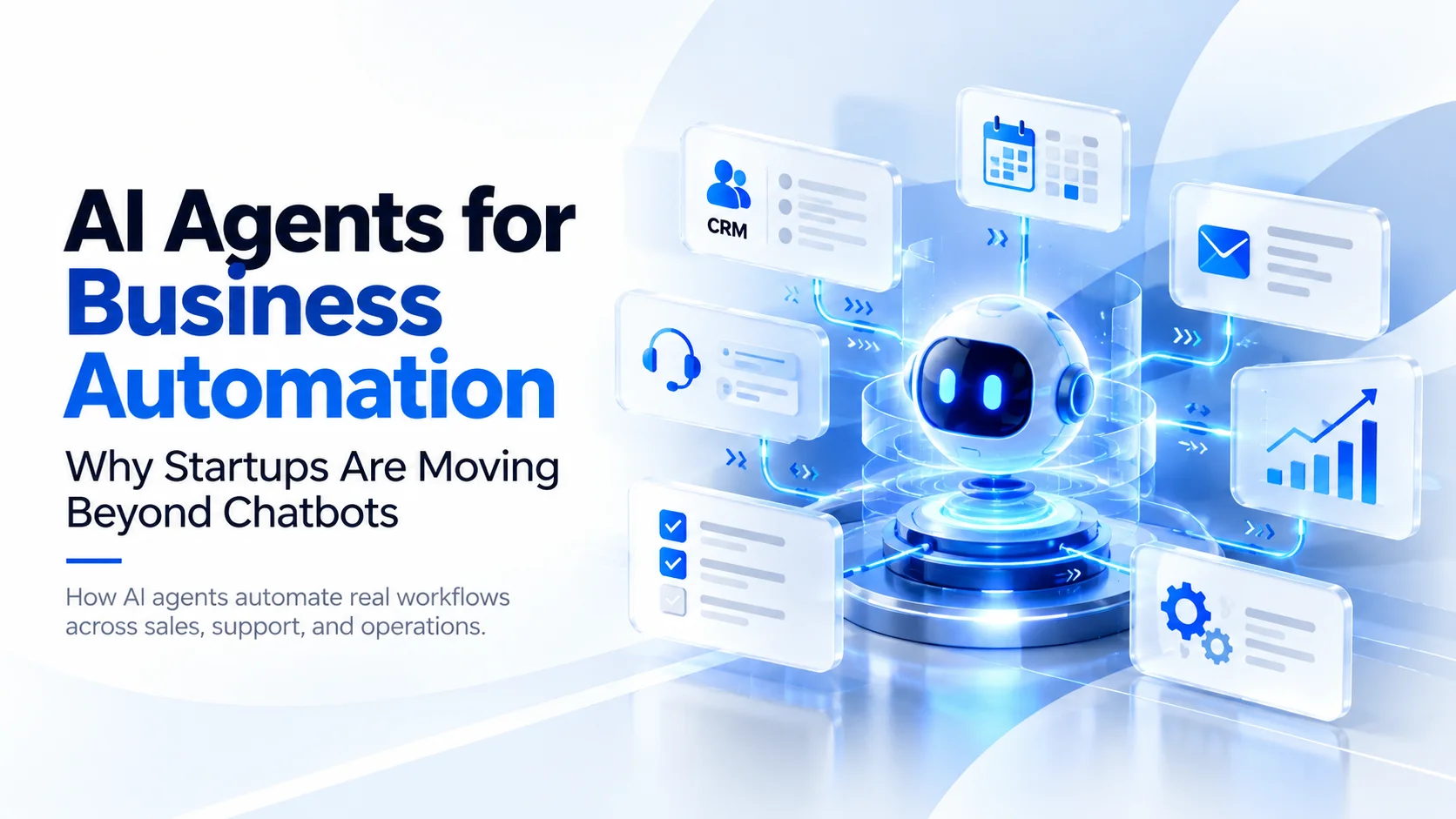
AI Agents for Business Automation: Why Startups Are Moving Beyond Chatbots
Discover why startups are adopting AI agents to automate workflows, connect business tools, reduce manual work, and move beyond traditional chatbots.
Sections
AI Agents for Business Automation: Why Startups Are Moving Beyond Chatbots
For years, businesses have used AI chatbots to answer customer questions, provide basic support, and help employees find information. These tools improved response times, but they often stopped at the conversation. A chatbot could explain how to book an appointment, yet someone still needed to update the calendar, confirm the booking, and record the customer details.
That limitation is becoming more important as startups look for ways to grow without increasing manual work at the same rate. Founders are no longer interested only in AI that generates answers. They are exploring systems that can understand requests, use existing business software, complete approved tasks, and involve employees when necessary.
This is where AI agents for business automation enter the picture. Unlike a basic chatbot, an AI agent can coordinate actions across tools and systems to complete a defined business workflow. It might qualify a sales enquiry, retrieve customer information, update a CRM, prepare a follow-up email, or manage part of a support process.
The opportunity is significant, but so are the implementation challenges. Successful automation depends less on making an agent appear intelligent and more on connecting it to reliable data, setting appropriate permissions, and choosing the right processes to automate.
What Are AI Agents for Business Automation?
AI agents are software systems that use artificial intelligence to work toward a defined goal, select appropriate actions, and interact with other software tools. Depending on the system's design, an agent may decide which information to retrieve, what action to perform next, and whether it has enough information to complete the task.
For example, imagine a startup that receives enquiries through its website. A traditional chatbot might answer questions about services and pricing. An AI agent connected to the company's business systems could go further by collecting requirements, checking available appointment slots, creating a CRM record, and preparing a meeting confirmation.
These capabilities come from combining AI models with application programming interfaces (APIs), databases, business rules, and connected tools. The AI model helps interpret requests and choose actions, while the surrounding software controls what the system is permitted to do.
However, not every automated process requires an AI agent. If a task always follows exactly the same steps, conventional workflow automation may be simpler, cheaper, and more predictable. Agents become especially useful when a process involves unstructured information, changing context, or decisions that cannot easily be handled through fixed rules.
AI Chatbots vs AI Agents: What Is the Difference?
The main difference between a basic AI chatbot and an AI agent is how much responsibility the system has for completing a task. Chatbots are commonly designed around conversations. AI agents can use conversations as the starting point for performing actions across connected systems.
CapabilityTraditional AI ChatbotAI AgentPrimary purposeAnswer questions and assist usersWork toward completing defined tasksSystem interactionOften limited to information retrievalCan retrieve data and perform permitted actionsWorkflow executionUsually focuses on the conversationCan coordinate multiple workflow stepsDecision-makingGenerally responds within conversation rulesCan select tools and next actions within boundariesBusiness integrationsMay connect to knowledge bases or APIsCan use CRM, scheduling, payment, and business APIsHuman oversightMay escalate conversationsCan request approval before sensitive actions
The distinction is not absolute. Modern chatbots can also use tools, trigger automation, and perform limited actions. An AI agent can even operate through a chat interface. What matters is whether the AI controls part of the workflow rather than simply producing a response.
OpenAI's practical guide to building agents describes this difference in terms of workflow execution, tool access, and the ability to make decisions within defined guardrails. For founders, that means evaluating what the system actually accomplishes rather than whether a vendor calls it a chatbot, assistant, or agent.
Why Businesses Are Moving Toward AI Agents in 2026
Interest in AI agents is growing because businesses are discovering the limits of using generative AI as a standalone productivity tool. Generating emails, summarizing documents, and answering questions can save time, but employees frequently need to transfer those outputs into other business systems manually.
Research supports the growing interest, although broad experimentation should not be confused with successful company-wide adoption.
According to McKinsey's State of AI 2025 report, 23% of surveyed organizations were scaling an agentic AI system in at least one business function, while another 39% were experimenting with AI agents. The report also found that deployment remained limited across individual functions, demonstrating that interest was developing faster than widespread implementation.
Deloitte's 2026 State of AI in the Enterprise identified a similar shift toward agentic systems while highlighting gaps in operational readiness and governance.
These findings describe larger organizational trends rather than proving that most startups have already adopted agents. However, they help explain why startup founders are paying attention to this technology.
1. Startups Need More Output Without Constantly Expanding Teams
Early-stage companies often operate with limited resources. A small team may be responsible for customer support, lead management, onboarding, sales coordination, and routine administration. As the customer base grows, repetitive tasks begin consuming time that could otherwise be spent on product development or customer relationships.
AI agents can help by taking responsibility for clearly defined parts of those processes. For instance, an agent may review incoming enquiries, extract required information, create internal tasks, and notify the appropriate employee. Instead of handling every administrative step, the team can focus on decisions and interactions that require human judgment.
This does not automatically remove the need for employees. Agents still require monitoring, exception handling, and maintenance. Their value comes from reducing specific categories of repetitive work, not guaranteeing that an entire role can be replaced.
2. Businesses Want Completed Tasks, Not Just Generated Answers
Consider a founder who asks an AI chatbot to summarize a customer complaint. The chatbot may produce a useful summary, but the founder still needs to create a support ticket, assign responsibility, check the customer's subscription, and send an update.
An integrated AI agent could assist with the broader workflow. It could read the complaint, retrieve relevant account details, categorize the issue, create a ticket, and prepare a response for approval. The output is no longer just a paragraph of text. It is progress toward resolving the customer's problem.
That change is commercially important because businesses ultimately measure outcomes such as resolution time, response quality, and operational effort rather than the number of AI-generated messages.
3. Business Tools Are Often Disconnected
Many growing startups rely on separate applications for email, payments, customer management, scheduling, project tracking, and reporting. Although these tools solve individual problems, employees still move information between them and deal with inconsistent records.
AI agents can serve as part of an integration layer that interprets incoming information and coordinates actions across authorized systems. However, they do not eliminate the need for reliable APIs, consistent data, or well-designed software architecture.
A startup with poorly maintained customer records will not automatically gain an accurate CRM because it adds an AI agent. The underlying operational systems must still support dependable automation.
Practical AI Agent Use Cases for Startups
The most valuable opportunities usually appear in workflows that happen frequently, follow understandable business rules, and require employees to collect information or move between several applications.
1. Sales Lead Qualification and CRM Management
A sales-focused AI agent can review incoming enquiries, identify the service a prospect needs, collect missing requirements, and organize the information in a CRM. When connected to an approved scheduling system, it may also offer available meeting slots or prepare a follow-up message.
For a software startup, this could mean turning a website enquiry into a structured lead containing the prospect's business type, requirements, estimated timeline, and next action. The sales team receives a more complete record instead of manually reviewing and organizing every submission.
Automated outreach and lead scoring still require supervision. Agents should not invent prospect details, send misleading claims, or make commitments the company cannot fulfill.
2. Customer Support and Ticket Resolution
Customer support is a practical area for agent-assisted automation because many enquiries involve repeated questions and clearly documented policies. Agents can retrieve account information, identify common issues, check order or subscription status, and prepare the appropriate next step.
For example, a subscription platform could allow an agent to check whether a customer's payment succeeded, identify an account access issue, and provide relevant troubleshooting instructions. If the problem requires a refund, account modification, or another sensitive action, the system can request human approval.
The aim is not to prevent customers from reaching employees. A reliable support workflow should make escalation straightforward whenever the agent lacks sufficient information or encounters an unusual situation.
3. Appointment Scheduling and Booking Operations
Startups in fitness, education, consulting, and other service industries often manage availability, appointment changes, reminders, and customer communication across several tools.
An agent connected to a booking platform could understand a customer's scheduling request, retrieve actual availability, propose suitable appointments, and complete an authorized reservation. It could also help process rescheduling requests according to business policies.
Availability and booking confirmation must come from the underlying scheduling system. The AI should never invent an available slot or assume a reservation succeeded without receiving confirmation.
4. Internal Reporting and Business Operations
Founders regularly need summaries of sales activity, outstanding support requests, operational issues, and other business performance indicators. Preparing these reports can involve collecting information from dashboards, spreadsheets, and internal platforms.
An AI agent with read-only access to appropriate data could gather recent records, identify notable changes, prepare a structured report, and flag items that require attention. This is particularly useful when the information is distributed across multiple systems.
However, financial calculations and performance indicators should come from verified records and deterministic calculations. The AI can explain patterns and summarize findings, but it should not be the sole authority for important business figures.
5. Customer Onboarding and Document Processing
Many startups need to collect onboarding information, review submitted forms, organize documents, and create account records. These processes can create delays when employees repeatedly check whether required information is missing.
An AI agent could extract information from submitted documents, identify incomplete fields, prepare follow-up requests, and route applications to the appropriate reviewer. It can also help explain onboarding requirements in plain language.
For businesses handling sensitive identity, financial, or health information, access restrictions and privacy controls become especially important. Final approvals and regulated decisions may need to remain with authorized employees and designated systems.
How an AI Agent Works Inside a Business
Although AI agents can appear complex, a practical business implementation usually contains a few essential components working together.
The AI Model
The model interprets requests, understands context, and helps decide which permitted action should happen next. Depending on the task, developers may use a smaller model for straightforward classification and a more capable model for difficult reasoning.
Connected Tools and APIs
APIs connect the agent to calendars, CRM systems, databases, email services, and other applications. These integrations allow the system to retrieve information or perform actions. A well-designed agent receives only the tools and permissions necessary for its assigned workflow.
Business Rules and Guardrails
Business rules determine what an agent can and cannot do. For example, it might create a draft invoice but require approval before sending it, or suggest a refund while preventing unauthorized payment changes.
Human Review and Monitoring
Business agents need logs, error handling, and clear escalation paths. When an action fails, information is missing, or a sensitive decision is required, the workflow should stop or transfer responsibility to an authorized employee.
These components work together to create an automation process that remains measurable and controllable instead of depending entirely on the AI model's generated output.
What Does It Cost to Build an AI Agent for a Startup?
There is no universal development price for an AI agent because costs depend heavily on the workflow, integrations, data quality, security requirements, and level of autonomy. A simple agent that prepares internal reports has very different requirements from one that coordinates customer transactions across several applications.
Founders should separate implementation costs from ongoing operating costs before deciding whether to build a custom system or use an existing automation platform.
Initial Development Costs
Implementation work may include workflow analysis, API integration, knowledge-base preparation, agent configuration, testing, security controls, and deployment. Existing business systems can reduce development effort when they expose reliable APIs, but older applications or inconsistent data may require additional engineering.
Ongoing Operating Costs
Running an agent may involve AI model usage fees, cloud infrastructure, third-party platform charges, monitoring, maintenance, and support. More complicated agents may make several model calls and tool requests to finish one task, increasing both cost and execution time.
Cost-control techniques include selecting appropriate models for different tasks, limiting unnecessary tool calls, caching approved information where suitable, and setting usage budgets.
Measuring Return on Investment
Instead of assuming that an AI agent will reduce costs, startups should compare measurable outcomes before and after implementation. Relevant metrics include task completion rate, time saved, cost per successfully completed task, human intervention rate, and error frequency.
For example, if a team spends 40 hours each month organizing customer enquiries, a useful pilot would measure how many of those hours can actually be saved after accounting for agent errors, reviews, maintenance, and operating fees.
An agent that reduces repetitive work but creates frequent corrections may deliver less value than a simpler rule-based automation. This is why a clear baseline is essential before investing in a larger rollout.
The Risks of AI Agents That Startup Founders Should Understand
AI agents become more useful when they can interact with real business systems, but that access also introduces operational and security risks. A wrong answer from a chatbot is inconvenient. An incorrect action from an agent can modify records, contact customers, or trigger downstream business processes.
Unreliable Decisions and Incorrect Actions
AI models can misunderstand instructions, overlook details, or generate incorrect information. When connected to business tools, these errors may influence actual operations. Important actions therefore require input validation, clear execution rules, and confirmation that each action succeeded.
Excessive Permissions
An agent designed to summarize sales performance should not automatically receive permission to change payment records or delete customer accounts. Limiting permissions reduces the potential impact of unexpected behavior or compromised instructions.
Prompt Injection and Untrusted Content
Agents may encounter instructions embedded in emails, documents, websites, or other external content. Malicious instructions can attempt to redirect the system away from its authorized task. Developers should treat external material as untrusted data and enforce permissions outside the AI model itself.
Weak Monitoring and Accountability
Deloitte reported in April 2026 that only 21% of organizations surveyed had mature governance arrangements for agentic AI. This highlights a gap between interest in deploying agents and the ability to supervise their actions responsibly.
The OWASP guidance for large language model applications also identifies excessive agency as a security risk when AI systems receive unnecessary capabilities, permissions, or autonomy.
For startups, the practical response is to begin with limited access, record important actions, test unusual scenarios, and require approval for operations that could create financial, legal, privacy, or reputational consequences.
Should Your Startup Use an AI Agent or Traditional Automation?
Before investing in agentic AI, founders should determine whether the problem genuinely requires AI-driven decision-making. Conventional automation is often the better choice when the process is completely predictable.
For example, sending a standard confirmation email after a successful purchase normally requires a simple event-driven workflow, not an AI agent. The trigger, message, and next action can all be defined in advance.
By contrast, processing customer enquiries written in different languages, extracting the customer's intent, checking several information sources, and determining the correct follow-up may benefit from an AI component.
Anthropic's guidance on building effective agents recommends starting with simpler approaches and adding complexity only when it produces a clear improvement. Predictable workflows are generally easier to test and maintain than highly autonomous systems.
The strongest solution may therefore combine conventional software, rule-based automation, and AI for the specific steps that require language understanding or flexible reasoning. Founders should choose the architecture according to the process rather than assuming more AI always means better automation.
How to Implement AI Agents in Your Startup
A successful AI automation project starts with understanding the business workflow, not selecting the latest AI model. Founders can reduce implementation risk by developing a focused first version and measuring its performance before expanding it.
Step 1: Identify a Repetitive Business Problem
Review tasks that consume employee time every day or every week. Look for repeated information gathering, manual data transfer, document processing, and customer follow-ups. Prioritize a process that has a clear starting point, measurable output, and manageable risk.
Step 2: Map the Complete Workflow
Document what triggers the process, where information comes from, what systems are involved, and how employees handle exceptions. This reveals whether the problem requires an AI agent, simpler automation, or improvements to the existing software.
Step 3: Define What the Agent Can Do
Specify the permitted actions, data access, business rules, approval requirements, and stopping conditions. For an initial release, read-only tasks and draft preparation are often easier to control than actions involving payments, record deletion, or legally significant decisions.
Step 4: Build a Focused Pilot
Start with one business workflow rather than building an autonomous system for the entire company. Integrate only the tools needed for that use case, use representative test scenarios, and verify that the system handles missing information and unexpected requests appropriately.
For founders creating a new software product, a focused MVP development approach can help validate the workflow and its business value before committing to a larger platform.
Step 5: Measure Real Performance
Track successful task completion, errors, response time, operating cost, and how often employees must intervene. Compare these results with the original manual workflow. If automation only shifts work from execution to correction, the system needs improvement before expansion.
Step 6: Expand Gradually
Once a workflow performs reliably, consider connecting additional systems or automating related tasks. Expand permissions only after the corresponding functionality has been tested. Continue monitoring performance as business processes, customer expectations, and connected applications change.
What Real AI Product Development Teaches Us About Automation
Building a useful AI product involves more than connecting a language model to a user interface. The application must handle real user expectations, business constraints, operating costs, and situations where AI-generated output cannot be accepted without validation.
One relevant example from Next Level Software is ALIFF, an AI-powered fashion styling application. The product combines AI-generated outfit recommendations with a digital wardrobe, user preferences, and a separate rule layer designed around modest-fashion requirements.
The system also uses techniques such as caching, streaming, and AI usage quotas to manage performance and operating costs. These features illustrate an important principle of production AI development: model intelligence alone is not enough. Reliable products need application-level rules and controls around AI behavior.
ALIFF is an example of an AI-powered application rather than a claim of an autonomous business operations agent. However, the engineering lesson applies directly to agentic automation. When software depends on AI to produce useful results, developers must define which outputs are acceptable, how failures are handled, and which decisions remain under application or human control.
For startups exploring business automation, this means designing the complete product and workflow rather than treating AI integration as an isolated feature.
The Future of AI Agents in Startup Operations
AI agents are likely to become a more common part of business software as models improve, application integrations expand, and developers gain experience deploying reliable workflows. Instead of using AI only through a separate chat window, businesses may increasingly access agent capabilities directly inside CRM platforms, dashboards, customer portals, and internal applications.
This does not mean every startup will need a fully autonomous AI workforce. Some businesses will benefit from a small number of specialized agents, while others will achieve better results through conventional automation or AI-assisted features that keep people in control.
One likely direction is closer cooperation between employees and software agents. An agent may prepare information, complete low-risk steps, and escalate exceptions, while employees focus on approvals, customer relationships, and decisions requiring experience or accountability.
The competitive advantage will not simply come from adopting agents earlier than everyone else. It will come from selecting the right workflows, maintaining reliable data, controlling operating costs, and delivering measurable improvements.
Final Thoughts: Start With the Workflow, Not the AI Hype
The move beyond chatbots represents an important shift in how startups think about artificial intelligence. Businesses are beginning to explore AI systems that can support execution instead of only generating text, which creates opportunities to improve customer service, lead management, reporting, onboarding, and operational efficiency.
However, adopting AI agents does not automatically create a better business process. The underlying workflow must be understood, the integrations must be reliable, and sensitive actions must remain appropriately controlled.
For startup founders, the best first step is to identify one repetitive process where automation could save meaningful time or improve customer experience. Build a limited solution, measure the results, and expand only when the business case is clear.
At Next Level Software, our AI application development work focuses on connecting useful AI capabilities with practical product requirements, business rules, and production-ready software systems.
If your startup is exploring AI-powered workflows or wants to add intelligent automation to an existing application, discuss your project with our team and identify which processes are worth automating first.
Frequently Asked Questions About AI Agents for Business Automation
What is an AI agent in business automation?
An AI agent is a software system that uses artificial intelligence and connected tools to perform tasks toward a defined goal. Business agents can retrieve information, choose permitted actions, update records, and coordinate workflow steps. Their capabilities depend on the tools, permissions, and rules included in their design.
What is the difference between an AI chatbot and an AI agent?
A basic AI chatbot primarily responds to questions and provides information. An AI agent can use external tools to complete actions and coordinate multiple steps in a workflow. The categories can overlap because modern chatbots may also include tool-using agent capabilities.
Can AI agents automate an entire startup?
AI agents can automate selected business processes, but reliably operating an entire company without human oversight is not a realistic assumption for most startups. Important decisions, unusual situations, financial activities, and sensitive customer interactions may still require authorized employees.
What are the best AI agent use cases for startups?
Practical use cases include lead qualification, CRM record updates, customer support triage, appointment scheduling, document processing, onboarding assistance, and internal reporting. The best starting point is a frequent, measurable workflow with clear boundaries and manageable risks.
How much does it cost to build an AI agent?
Development costs depend on workflow complexity, system integrations, data preparation, security requirements, and testing. Ongoing costs may include model usage, infrastructure, monitoring, and maintenance. A business should estimate these requirements for its specific use case instead of relying on a universal price.
Do startups need custom AI agents?
Not always. Existing automation platforms and AI-enabled SaaS products may be sufficient for common workflows. Custom development becomes more relevant when a startup needs proprietary business logic, specialized integrations, control over data handling, or capabilities not supported by off-the-shelf tools.
Are AI agents safe for business operations?
AI agents can be deployed with security and operational controls, but they are not automatically safe. Reliable implementations require limited permissions, validated tool actions, protection against untrusted instructions, monitoring, and human approval for sensitive operations.
Research Sources
McKinsey: The State of AI in 2025 — Survey evidence on AI agent experimentation and scaling.
Deloitte: State of AI in the Enterprise 2026 — AI adoption, readiness, and governance findings.
Deloitte: AI Agents Are Scaling Faster Than Their Guardrails — Agent governance and operational risk findings.
OpenAI: A Practical Guide to Building Agents — Architecture, tools, workflow design, and guardrails.
Anthropic: Building Effective Agents — Agent versus workflow architecture and implementation principles.
OWASP: Top 10 for Large Language Model Applications — Security guidance covering excessive agency and related risks.
Keep reading

Microsoft's AI Software Factory: Will Businesses Soon Build Apps Without Developers?
Microsoft's AI Software Factory could change app development. Explore what Microsoft has demonstrated, what businesses can build with AI, and why developers still matter.
Khubaib Rasheed · · 18 min read
AI Agents for Small Businesses: Can They Replace Multiple Software Tools?
Can AI agents replace your CRM, scheduling, reporting, and automation tools? Discover what small businesses can consolidate, what still needs software, and how to start.
Abdullah · · 18 min read
Gemini 4 Carbon: What We Know About Google’s Leaked Gemini 4 Model
Google employees are reportedly testing Gemini 4 Carbon, an internal checkpoint with early coding feedback comparing it to Claude Opus 5.5. Here is what we actually know.
Khubaib Rasheed · · 14 min read