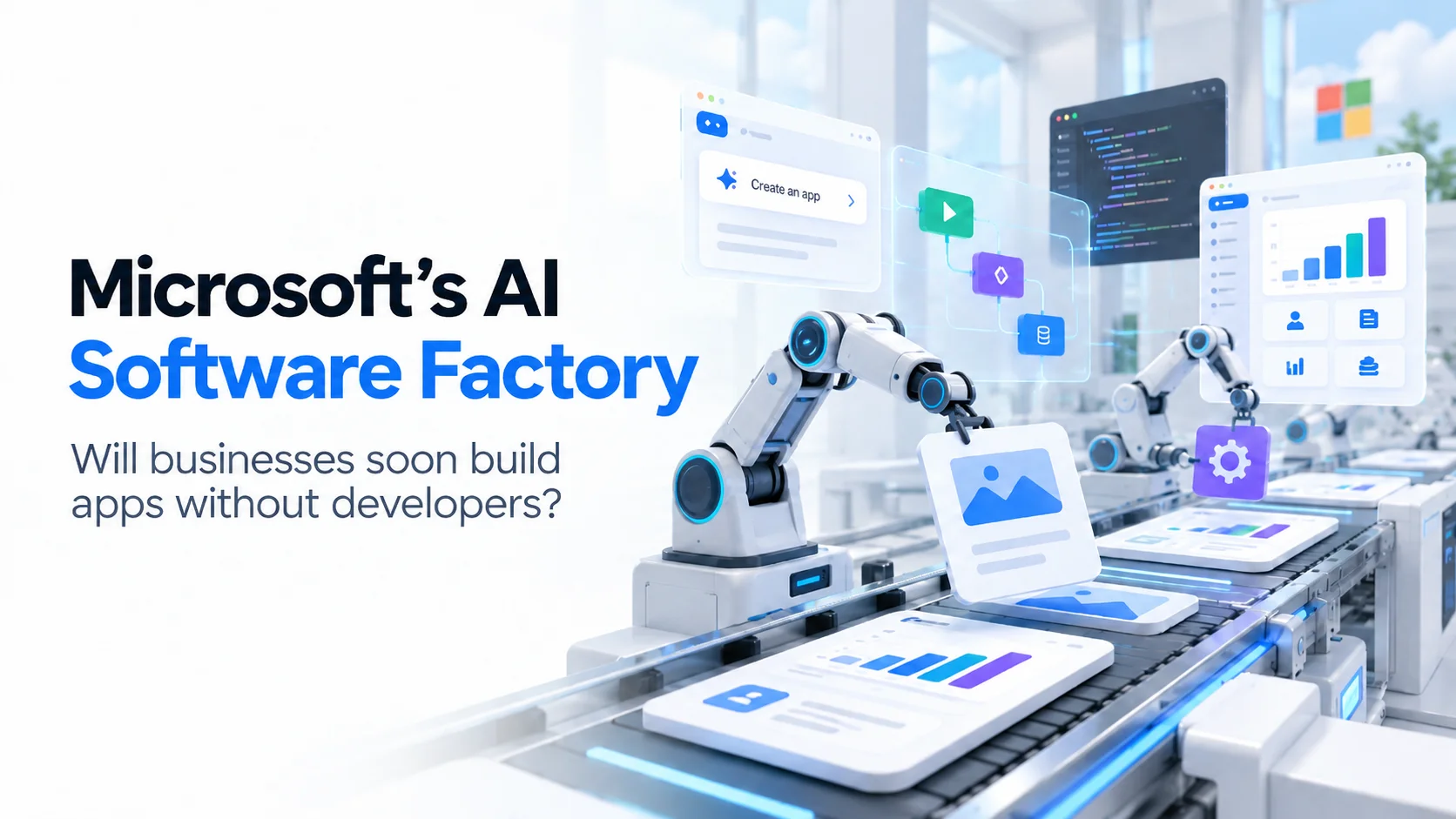
Microsoft's AI Software Factory: Will Businesses Soon Build Apps Without Developers?
Microsoft's latest AI research and Copilot tools are changing how software gets built. Here's what businesses can realistically automate and where developers still matter.
Sections
Microsoft's AI Software Factory: Will Businesses Soon Build Apps Without Developers?
Imagine describing a business problem to an AI system and watching it create the application you need. No lengthy development process, no manually writing thousands of lines of code, and potentially no need to hire a developer for every new internal tool.
That possibility is becoming more realistic as Microsoft pushes artificial intelligence deeper into software development. In September 2026, Microsoft researchers published a paper titled Towards an AI Software Factory for Data Systems, describing an approach in which AI agents participate across the software development lifecycle, from identifying improvements and generating code to evaluating changes and supporting operations.
Meanwhile, Microsoft's Copilot and Power Platform products are making it easier for people without traditional programming skills to create business applications through natural-language instructions.
These developments raise an important question for business owners: If AI can generate applications, will companies still need software developers?
The answer depends on what kind of application a business wants to build, how reliable it needs to be, and who will take responsibility when something goes wrong.
What Is Microsoft's AI Software Factory?
Microsoft's AI Software Factory is a research vision for making software engineering more automated, measurable, and continuously improving. Rather than using AI only to write code, the proposed system coordinates agents across multiple stages of development.
Traditional AI coding assistants generally help developers complete individual tasks. They might generate a function, explain unfamiliar code, write tests, or suggest fixes. Microsoft's research explores a broader approach in which AI systems identify opportunities for improvement, experiment with alternative solutions, measure results, and reuse what they learn.
The research focuses primarily on data systems and engineering tasks with measurable objectives, such as reducing query latency or improving processing efficiency. It does not establish that AI can independently design and deliver every type of business application.
That distinction matters. Microsoft's research demonstrates progress toward more autonomous engineering, while its commercial Copilot products demonstrate how application creation is becoming accessible to more business users.
How Microsoft's AI Software Factory Works
Microsoft's research describes several connected components that work together to improve the software development process. Instead of treating coding as an isolated activity, the system connects technical decisions with testing results, operational data, and previous engineering experience.
1. AI Identifies What Needs Improvement
The first challenge in software development is deciding what should change. A slow application might have inefficient database queries, excessive network requests, or poorly optimized processing logic. Simply generating more code does not necessarily solve the underlying problem.
Microsoft describes a targeting system called Hotspan that uses information about existing software, performance measurements, and engineering history to identify potential optimization opportunities. It can evaluate possible changes against expected benefits, implementation costs, and risks.
For businesses, the long-term implication is significant. AI development tools could increasingly help identify technical problems rather than waiting for someone to describe exactly what code needs changing.
2. Multiple AI Agents Explore Solutions
The research introduces Darwin, a system that coordinates multiple coding agents to explore alternative improvements. Instead of accepting the first generated solution, agents can produce variations, run tests, analyze failures, and continue refining their approaches.
Imagine a business application that processes thousands of transactions daily. An AI-assisted optimization system might explore different ways to improve processing performance, compare the results, and identify a more efficient implementation.
This differs from asking a chatbot to write a function. The system evaluates proposed changes against measurable technical objectives, which helps distinguish working improvements from code that merely looks convincing.
3. AI Evaluates Code Before Deployment
Generating code is only part of software engineering. A change might improve performance while introducing security problems, breaking an existing feature, or producing incorrect results under unusual conditions.
Microsoft's research therefore emphasizes automated evaluation, testing, and techniques for comparing new software behavior against existing production systems. However, the researchers also identify automated reviewing and reliable verification as unresolved challenges.
This is particularly relevant to businesses handling customer information, financial transactions, subscriptions, or sensitive operational records. A successful AI-generated demonstration is not equivalent to a verified production application.
4. Systems Learn From Previous Engineering Work
Another component is the World Model, a structured knowledge system that maintains information about software architecture, workloads, dependencies, historical decisions, and observed results.
Rather than starting from scratch with every task, AI agents can use this accumulated context to make more informed decisions. Microsoft's research also explores improving underlying models using feedback from previous engineering experiments.
The broader idea is a software development environment that becomes more effective as it gathers evidence about what works. Nevertheless, generalizing this approach across different systems remains an open research challenge.
What Did Microsoft's Research Actually Achieve?
The September 2026 paper reports promising results from deployments and experiments involving Microsoft's internal engineering systems. Its authors report approximately 3 times greater engineering efficiency compared with agentic coding approaches in their evaluated settings, alongside token-efficiency improvements of up to 22 times in specific comparisons.
These results deserve attention, but they need context. The experiments concentrate on particular engineering and optimization tasks, especially data systems where success can be measured automatically. The reported gains should not be interpreted as evidence that every software project can now be completed three times faster or at one twenty-second of the cost.
The paper also identifies significant unresolved challenges involving correctness, automated code review, privacy, cost management, and generalizing the system beyond narrowly defined tasks.
For business leaders, the research is evidence that AI-assisted software engineering is progressing beyond basic code generation. It is not proof that fully autonomous application development has become a universal commercial capability.
Microsoft Is Already Letting Businesses Build Apps With AI
While the AI Software Factory research focuses on engineering automation, Microsoft's commercial products are moving toward a related goal: allowing people to create useful business software without manually writing every component.
In September 2026, Microsoft introduced new Copilot capabilities organized around Home, Code, and Autopilot. The Code experience is intended to help people create their own software solutions using technology related to GitHub Copilot.
Microsoft also announced new application-building capabilities in Copilot Studio, bringing applications, workflows, and AI agents into a more connected development experience.
Building Applications Through Natural Language
With Microsoft's emerging app-building tools, users can describe the application they need in ordinary language. For example, a business manager might request an employee onboarding dashboard that tracks new hires, assigns tasks, and displays outstanding approvals.
Copilot Studio can generate a draft application that users preview and refine through conversation. Its public-preview app-building experience also provides access to underlying code for more advanced customization.
Microsoft 365 Copilot's App Builder similarly allows eligible users to create lightweight interactive applications without traditional coding skills. However, availability and eligibility vary by product. Microsoft's App Builder documentation identifies specific Frontier-program and regional restrictions, so businesses should verify access before planning around it.
Connecting Apps, Workflows, and AI Agents
The more interesting development is not simply creating a screen from a prompt. It is connecting that screen to the processes and information a business already uses.
Consider an employee onboarding application. The interface could allow managers to review new hires, a workflow could assign required tasks, and an AI agent could answer onboarding questions or help handle exceptions.
Microsoft's Power Platform updates are moving toward this combination of interfaces, structured business workflows, and AI-driven actions. This could reduce the amount of manual development required for certain internal applications, particularly when businesses already operate within the Microsoft ecosystem.
Can Businesses Really Build Apps Without Developers?
Yes, for some applications. But not every business application can safely be treated as a no-code project.
AI-assisted development is increasingly practical for internal dashboards, simple approval systems, data-entry tools, reporting interfaces, and early product prototypes. These applications often have limited users, relatively predictable workflows, and manageable integration requirements.
For example, a small business might create an internal inventory dashboard that displays product records, tracks basic stock changes, and produces management reports. If the required data sources and permissions are already supported, an AI-assisted platform could make this significantly easier than traditional custom development.
However, requirements become more complicated when an application handles payments, multiple customer roles, sensitive information, large numbers of users, or critical business operations.
A customer-facing booking platform, for instance, must do more than display available time slots. It needs to prevent conflicting reservations, manage payment failures, enforce cancellation rules, handle concurrent requests, and maintain accurate records across different users and devices.
AI can assist with implementing these capabilities, but generating the initial application does not automatically guarantee that all of them work correctly.
Where AI App Builders Work Best and Where They Struggle
Application TypeAI-Only SuitabilityImportant ConsiderationInternal dashboardsOften suitableData access and accuracyBasic approval workflowsOften suitablePermissions and workflow rulesClickable prototypesHighly suitableNot equivalent to production softwareSmall internal business toolsPotentially suitableIntegration and maintenanceCustomer-facing SaaSEngineering review recommendedMulti-tenancy, billing, reliabilityBooking and marketplace platformsEngineering oversight importantConcurrency, payments, multiple rolesFinancial or sensitive-data systemsSpecialist oversight essentialSecurity, correctness, regulatory requirements
These are practical suitability assessments, not fixed limitations of a particular Microsoft product. The right development approach depends on the application's complexity, available platform features, and consequences of failure.
The Hidden Challenges of AI-Generated Business Applications
The ability to generate software quickly creates an important business opportunity, but it can also create false confidence. A working interface may give the impression that an application is complete even when critical engineering decisions remain unresolved.
Security and Data Privacy
Business applications frequently store customer records, employee information, financial details, or proprietary operational data. These systems require appropriate authentication, authorization, secure data handling, and access restrictions.
Microsoft provides governance and security capabilities within its enterprise platforms, including identity controls, managed environments, and data policies. Those protections are valuable, but businesses must still configure permissions correctly and ensure their applications enforce the intended rules.
Scalability and Performance
An application that performs well with ten users may behave differently when thousands of customers access it simultaneously. Database design, infrastructure capacity, caching, background processing, and concurrency handling all influence how software performs under real workloads.
AI-generated code can be a useful starting point, but businesses planning to grow need to evaluate whether the architecture can support increasing demand without excessive costs or instability.
Complex Integrations
Many business applications depend on external systems such as payment gateways, accounting platforms, customer relationship management tools, or third-party APIs. Integrating these services involves more than connecting endpoints.
Developers must account for authentication, failed requests, duplicate transactions, changing API behavior, and data consistency. When money or critical records are involved, these details directly affect customer trust and operational reliability.
Long-Term Maintenance
Software continues to change after launch. Security updates, operating system changes, new integrations, customer feedback, and evolving business requirements all create ongoing work.
An application that can be generated in an afternoon may still require years of maintenance. Businesses should therefore evaluate not only how quickly AI creates software, but also how easily the resulting application can be understood, tested, updated, and supported.
Will AI Replace Software Developers?
Microsoft's progress suggests that software development responsibilities are changing, but the available evidence does not support a simple prediction that developers will disappear.
AI is increasingly capable of generating interfaces, writing repetitive code, creating tests, explaining existing systems, and assisting with technical optimization. These capabilities can reduce the amount of manual work involved in delivering software.
However, software engineering also involves understanding business requirements, selecting appropriate architectures, evaluating risks, designing reliable data models, protecting information, and deciding how systems should behave when something unexpected happens.
These responsibilities become especially important when a business depends on the application for revenue, customer experience, or daily operations.
Microsoft's own research recognizes the importance of human supervision, particularly when requirements are ambiguous or correctness cannot be automatically verified. Its engineering transformation also emphasizes collaboration between developers and AI agents rather than simply removing developers from the process.
The more likely near-term outcome is that AI reduces the amount of routine coding while increasing the importance of engineering judgment, product ownership, and system verification.
What This Means for Startups and Small Businesses
For startups, AI-assisted development could make early experimentation more affordable. Founders can explore product concepts, build interactive prototypes, and test basic workflows before committing to a complete development project.
That is particularly useful when the business is still validating whether customers actually need the proposed solution. A founder does not necessarily need to build a full application simply to demonstrate a concept or gather initial feedback.
For established small businesses, the opportunity may be even more immediate. Companies that still depend on spreadsheets, manual approvals, disconnected tools, and repetitive administrative processes can investigate whether AI-assisted applications could simplify their operations.
However, the decision should begin with the business problem rather than the technology. An application is only valuable if it improves an existing process, reduces unnecessary work, or creates a better customer experience.
Before investing in AI-generated software, business owners should understand the application's intended users, required integrations, data sensitivity, expected usage, and ongoing maintenance responsibilities.
AI-Generated Prototypes vs. Production-Ready Applications
One of the most important distinctions in modern software development is the difference between proving an idea and operating a reliable product.
A prototype demonstrates how an application might look or behave. It helps founders communicate their vision, test navigation, and gather feedback. An MVP goes further by implementing enough real functionality to validate important business assumptions with actual users.
A production-ready application must also meet the reliability, security, operational, and performance requirements appropriate to its intended use.
These stages should not be confused. AI can make the first stage extremely fast, but that does not eliminate the work required for the later stages.
For businesses experimenting with AI-generated applications, the most practical approach is to validate the idea quickly and then evaluate the software before expanding its use. Depending on the quality of the generated code, parts of the application may be reusable while others may need to be redesigned.
What Real Software Projects Teach Us About This Shift
At Next Level Software, we work on applications where the challenge extends beyond generating individual features. Building a successful product requires connecting user experience, business rules, integrations, and operational requirements into a system that works consistently.
Our ALIFF AI application case study illustrates this distinction. The product combines AI-powered outfit recommendations with a digital wardrobe and user-specific styling requirements. Rather than relying entirely on AI prompts, the system incorporates a dedicated rules layer for modesty requirements, alongside caching, streaming, and quota management.
These components matter because production AI applications must deliver more than plausible generated responses. They need to follow business rules, manage operating costs, and provide a consistent experience for users.
A different example is FitFinds, a fitness marketplace developed for Kuwait. The platform connects a customer application, merchant management system, and administrative panel through a shared backend. It also supports the operational needs of a marketplace involving gyms, fitness classes, and products.
Projects like these show why software architecture and product planning remain important even as AI tools become more capable. Generating an individual screen is useful, but delivering multiple connected products requires consistent data, permissions, business logic, and integration decisions.
How Businesses Should Prepare for AI-Driven App Development
Businesses do not need to wait for fully autonomous software engineering before benefiting from AI. A more effective approach is to introduce AI-assisted development gradually, starting with projects where requirements are clear and risks are manageable.
Step 1: Identify a Specific Business Problem
Start with an operational bottleneck, such as repeated manual data entry, fragmented reporting, or a slow approval process. Define the desired outcome before selecting an AI development tool. Clear requirements make it easier to evaluate whether the generated application solves the actual problem.
Step 2: Start With a Small Prototype
Use an AI-assisted platform to test the proposed workflow with a limited number of users. A prototype can reveal confusing interfaces, missing requirements, and unnecessary features before the business commits to a larger investment.
Step 3: Evaluate the Technical Risks
Review the information the application will handle, the external systems it must connect to, and the consequences of incorrect behavior. Applications involving sensitive data, complex permissions, or financial transactions deserve more rigorous engineering review.
Step 4: Choose the Right Development Model
Some internal tools may be suitable for no-code or AI-assisted platforms. Others may require custom development, especially when the business needs advanced integrations, unusual workflows, or greater control over the software architecture.
For applications that require AI features alongside dependable business logic, a structured AI application development approach can combine AI capabilities with conventional engineering practices.
Step 5: Plan for Ownership and Maintenance
Before deployment, establish who owns the application, how changes will be reviewed, where data is stored, and who will respond to failures. These decisions are necessary whether the software is written by developers, generated by AI, or built through a combination of both.
The Future of Software Development: More Builders, Different Responsibilities
Microsoft's AI Software Factory research points toward a future where software systems can participate more actively in their own improvement. Its commercial Copilot tools show another part of that future: more employees and business owners being able to create useful applications without becoming professional programmers.
Over time, these developments could make software creation faster, lower the barriers to experimentation, and allow development teams to focus more attention on complex engineering challenges.
However, broader access to application generation also creates a need for stronger governance. As more people build software, organizations must understand what applications exist, what information they access, how they are maintained, and whether they meet business requirements.
The next stage of AI-assisted development is therefore not just about generating more code. It is about creating reliable systems with clearer requirements, better automated verification, and appropriate human accountability.
Final Verdict: Will Businesses Soon Build Apps Without Developers?
Microsoft's latest research and product announcements make one thing increasingly clear: businesses will be able to build more types of software with less manual coding.
For lightweight internal applications, reporting tools, prototypes, and straightforward workflows, some organizations may already be able to create useful solutions without hiring dedicated developers for every project.
For complex SaaS platforms, customer-facing mobile applications, marketplaces, and business-critical systems, engineering expertise remains important. These products must be designed around real operational requirements, tested under realistic conditions, and maintained after launch.
The most important question for business owners is no longer simply whether AI can generate an application. It is whether that application can reliably support the business once real customers, data, and money are involved.
AI is making software easier to create. Building software that businesses can depend on remains a larger responsibility.
If you are exploring an AI-powered application or need to turn an early concept into a dependable product, discuss your project with Next Level Software to evaluate the right development approach.
Frequently Asked Questions
What is Microsoft's AI Software Factory?
Microsoft's AI Software Factory is a research approach for automating and improving different stages of software engineering using AI agents, measurable feedback, and accumulated engineering knowledge. The September 2026 research focuses on data systems and specific optimization tasks rather than general-purpose autonomous application creation.
Can Microsoft Copilot build an app without coding?
Yes. Microsoft offers AI-assisted application-building experiences through products such as Copilot Studio, Power Apps, and Microsoft 365 Copilot. Some allow users to describe an application in natural language and generate a working starting point. Available capabilities, licensing, preview status, and regional eligibility vary.
Will AI replace software developers?
AI is automating more routine development work, but current evidence does not establish that developers will become unnecessary. Architecture, security, testing, complex integrations, and responsibility for production systems still require appropriate expertise and oversight.
Is AI-generated code safe for business applications?
AI-generated code can be used in business applications, but it should be evaluated according to the system's risks. Security testing, permission checks, code review, and operational monitoring remain important, particularly for applications involving sensitive information or financial transactions.
What types of applications are easiest to build with AI?
Internal dashboards, prototypes, simple data-entry tools, reporting interfaces, and straightforward workflow applications are often good candidates. Applications with complex integrations, payments, multiple user roles, or demanding performance requirements generally need more technical oversight.
What is the difference between Microsoft's AI Software Factory and Power Apps?
The AI Software Factory is a research vision for automating software engineering processes. Power Apps is a commercial application-development platform that enables organizations to build and manage business applications. Both use AI-related technologies, but they serve different purposes and should not be treated as the same product.
Should startups use AI app builders or hire developers?
Startups can use AI app builders to prototype ideas and validate simple workflows. When a product requires reliable payments, scalable infrastructure, sophisticated integrations, or complex business logic, involving experienced developers can help reduce technical and operational risks.
Sources and Further Reading
The following primary sources provide the research findings, product announcements, and documentation discussed in this article.
Towards an AI Software Factory for Data Systems — Microsoft-affiliated research, September 28, 2026.
Introducing the New Copilot With Home, Code and Autopilot — Microsoft, September 25, 2026.
Build Apps, Workflows, and Agents Together — Microsoft Copilot Studio, September 2026.
Build Apps With Microsoft Copilot — Microsoft Support.
What's New in Power Platform — Microsoft, April 2026.
Transform Software Development Through an Agentic Platform — Microsoft for Developers.
Keep reading
AI Agents for Business Automation: Why Startups Are Moving Beyond Chatbots
AI agents are changing how startups automate business operations. Explore the difference between chatbots and AI agents, practical use cases, benefits, costs, and implementation risks.
Abdullah · · 20 min read
AI Agents for Small Businesses: Can They Replace Multiple Software Tools?
Can AI agents replace your CRM, scheduling, reporting, and automation tools? Discover what small businesses can consolidate, what still needs software, and how to start.
Abdullah · · 18 min read
Gemini 4 Carbon: What We Know About Google’s Leaked Gemini 4 Model
Google employees are reportedly testing Gemini 4 Carbon, an internal checkpoint with early coding feedback comparing it to Claude Opus 5.5. Here is what we actually know.
Khubaib Rasheed · · 14 min read