IndustryProductivity · SchedulingServicesAI Application · Mobile App

Say the task out loud — AI sets the date, time and repeat.

NextDo is our own AI to-do list and habit tracker. Hold the + button, say "Plan the product demo on Friday at 3" in English or Hindi, and Grok turns the sentence into a task with the right date, time, priority and repeat — next to habits, notes and a calendar in one app. Live on Google Play.

Core Offering
Voice-to-Task AI
Status
Live — Android
Languages
English · Hindi, auto-detected
Built With
Flutter · Firebase · Grok
Project Results
1
Sentence per task
Date, time, priority and repeat from speech
Structural fact — feature built
2
Languages
English · Hindi, detected automatically
Structural fact — feature built
3-in-1
Tasks, habits, notes
One calendar and one search across them
Public — Google Play listing, verified 27 Oct 2026
Live
On Google Play
Updated Oct 11, 2026
Public — Google Play listing, verified 27 Oct 2026

NextDo is our own app and was recently released, so this page carries no download or rating figures. What is on this page is what was built and why it was built that way.

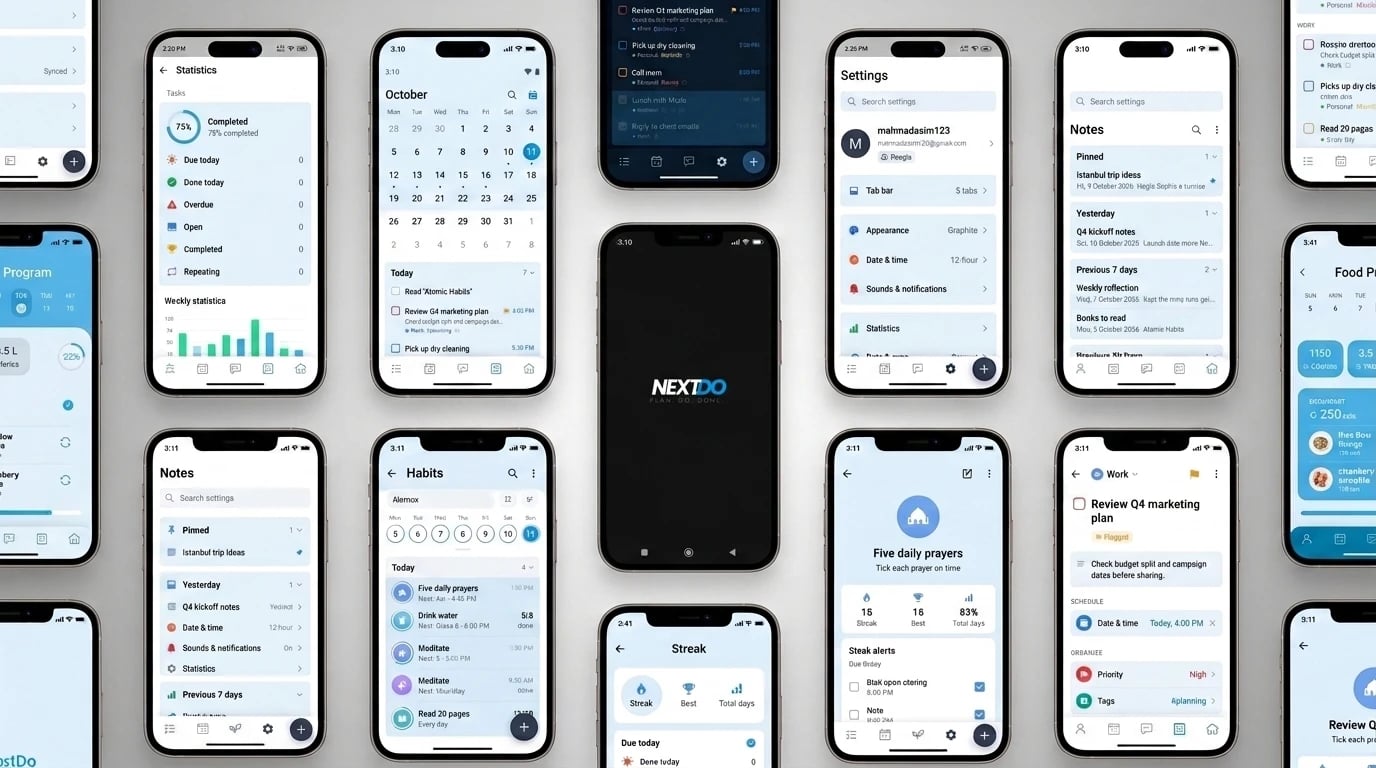
NextDo app screens — statistics, an October calendar with the day's tasks, settings, notes, habits with a week strip, the five daily prayers habit with streak alerts, a flagged task with date, priority and tags, and the splash screen
The Context

Building a to-do app where speaking a task is faster than typing it.

NextDo puts a to-do list, daily habits and notes in one app. The user holds the + button and says what they need to do; AI reads the sentence and files it as a task with its date, time, priority and repeat. Everything lands on one home screen sorted by day — overdue, today, tomorrow and later — with reminders that stop once the task is done.

It is one of the apps we build and publish under our own name. The brief was a voice-first planner that understands people the way they actually talk, in English or Hindi, without the user choosing a language first — and that still works offline and syncs across devices when they sign in.

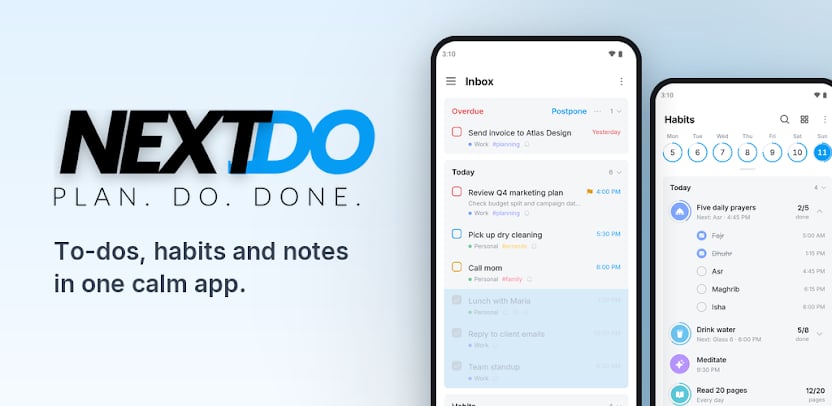
NextDo — Plan. Do. Done. To-dos, habits and notes in one calm app, beside the Inbox with overdue and today's tasks and the Habits screen with the five daily prayers
The Challenge

Typing a task with its date and repeat is slow — so the reminder never gets made.

A task is easy to think of and tedious to enter. Open the app, type the title, pick a date, pick a time, set it to repeat monthly, turn on a reminder — by the third tap most people have decided they will remember it anyway. The reminder that would have saved them is never created.

Voice fixes the speed, but only if the app understands what was said. "Salary slip every month on the 1st" has to become a monthly repeat, "tomorrow at 10" a date and a time — in the language the user happened to speak in, without asking them to fill the gaps in by hand.

Our Approach

Speech in, a structured task out — and everything around it built for the day.

NextDo treats a spoken sentence as the input and a complete task as the output, then builds the planner around the tasks that come out of it.

Voice-first task entry.

Hold + and speak. A speech-to-text engine turns the recording into text, and Grok parses it into a task — title, date, time, priority and repeat — so a whole reminder is one sentence.

English and Hindi, detected automatically.

The user speaks in either language without switching a setting first; NextDo detects which one it heard and structures the task the same way.

Typing is still one tap away.

A quick-add bar opens with the keyboard and sets date, time, priority, repeat and reminder in a tap — for the moments speaking out loud isn't an option.

One home view, sorted by day.

Overdue, today, tomorrow and later, with finished items moved down. Overdue tasks can be postponed to today, completed or cleared in one go, and smart lists cover Today, Next 7 Days, Scheduled and Flagged.

Habits broken into steps.

A habit can repeat on chosen days and split into steps, each with its own time and reminder — five daily prayers become Fajr to Isha, drinking water becomes eight glasses — with streaks, best runs and stats.

Reminders that know what's done.

Tasks and every habit step get a reminder, can be marked done from the notification, and stay silent once finished. Data syncs through Firebase when signed in and keeps working offline.

What This Means in Practice

What this means in practice.

01

A task with a date, a time and a repeat is created by saying one sentence.

02

Users speak in English or Hindi without choosing a language first.

03

Monthly, weekly and daily repeats are set from the sentence, not from a picker.

04

Tasks, habits and notes sit in one app with one calendar and one search.

05

Reminders go off for what is still open and stay quiet for what is done.

06

Lists sync across devices through the user's account and keep working offline.

Under the Hood

Grok

Parses a spoken sentence into a task with date, time, priority and repeat.

Speech-to-Text

Turns the held-button recording into text, in English or Hindi.

Firebase Auth

Google Sign-In and email and password accounts.

Cloud Firestore

Tasks, habits and notes synced across devices, with offline use.

Want users to speak to your app instead of filling in forms?

Built for Every Platform

One app for the whole day — tasks, habits and notes.

NextDo is a single Flutter app for Android: speech is turned into text on the way in, Grok structures it into a task, and Firebase keeps the user's lists in sync across devices.

Android · Flutter

NextDo App

01
  • Hold + and speak — AI sets the date, time, priority and repeat
  • English and Hindi with automatic language detection
  • Home view by day, smart lists, tags and repeating tasks
  • Habits with steps, streaks and reminders for every step
  • Notes, calendar, search, statistics and dark mode
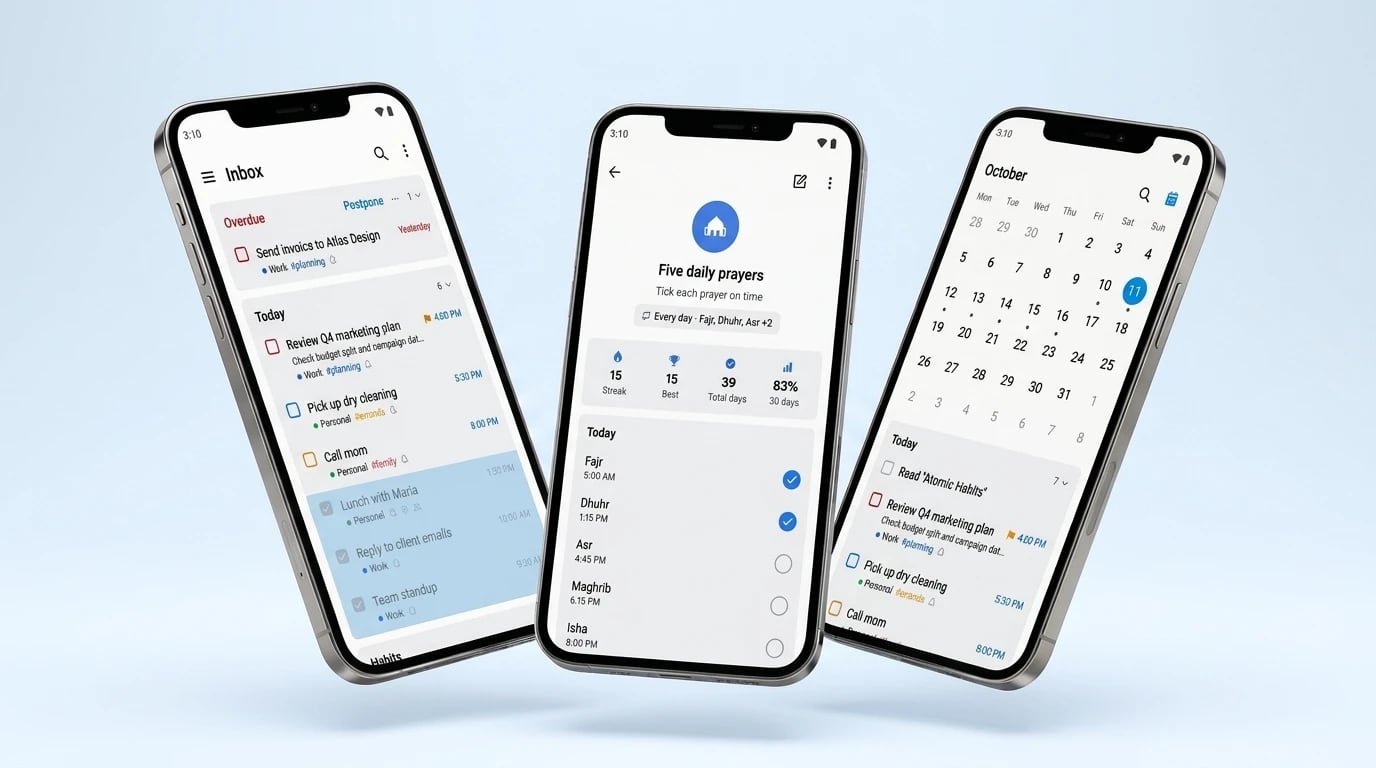
NextDo on three phones — the Inbox with overdue and today's tasks, the five daily prayers habit with a 15-day streak and Fajr to Isha, and the October calendar with the day's tasks
FAQ

AI Voice Assistant & To-Do App Development — Questions Founders Ask Us

Have a similar project? Talk to us

In two steps. A speech-to-text engine turns the recording into a sentence, and a language model — Grok, in NextDo — reads that sentence and returns a structured task: title, date, time, priority and repeat. The app then saves it like any typed task, reminder included.

Yes. NextDo takes tasks in English and Hindi and detects which one was spoken, so the user never picks a language before talking. The same approach extends to other languages the speech and AI layers support.

The task is still an ordinary task. The user can open it and change the date, time, priority or repeat in a tap — and typing through the quick-add bar is always there as the alternative to speaking.

The list does. NextDo keeps tasks, habits and notes working offline and syncs them through Firebase when the device is back online; turning speech into a task needs a connection for the AI step.

It depends on which AI and speech services you use, how many languages you need, and what sits around the voice entry — habits, notes, sync. An app like NextDo is scoped in phases and quoted fixed-price after a free scoping call.

Building an AI-powered productivity app?

Voice entry, AI that structures what users say, reminders and sync across devices.
See how we'd scope yours.

Book a Free Consultation
Trusted US-Registered Development Agency✦
5.0 Client Satisfaction on Clutch✦
Recognized Top Rated Plus on Upwork✦
250+ Products Delivered✦
15+ Expert Developers & Designers✦
6+ Years of Development Excellence✦
Serving Clients Across the Globe✦
88% Client Retention Rate✦
Trusted US-Registered Development Agency✦
5.0 Client Satisfaction on Clutch✦
Recognized Top Rated Plus on Upwork✦
250+ Products Delivered✦
15+ Expert Developers & Designers✦
6+ Years of Development Excellence✦
Serving Clients Across the Globe✦
88% Client Retention Rate✦
Logo