iOS · Flutter
01Pander App
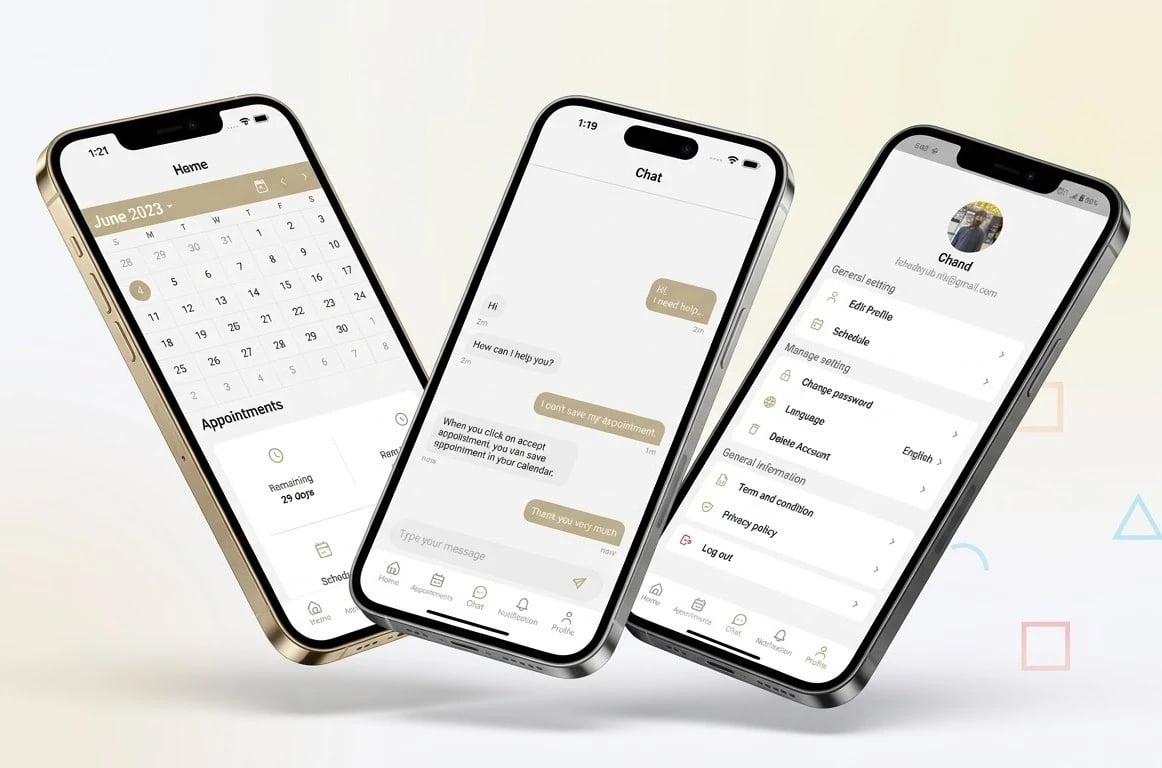
- Calendar home with confirmed appointments
- Requests, accepted and confirmed tabs
- Orders and appointments with time, place and notes
- Chat and live booking notifications
- Schedule, working hours and profile settings
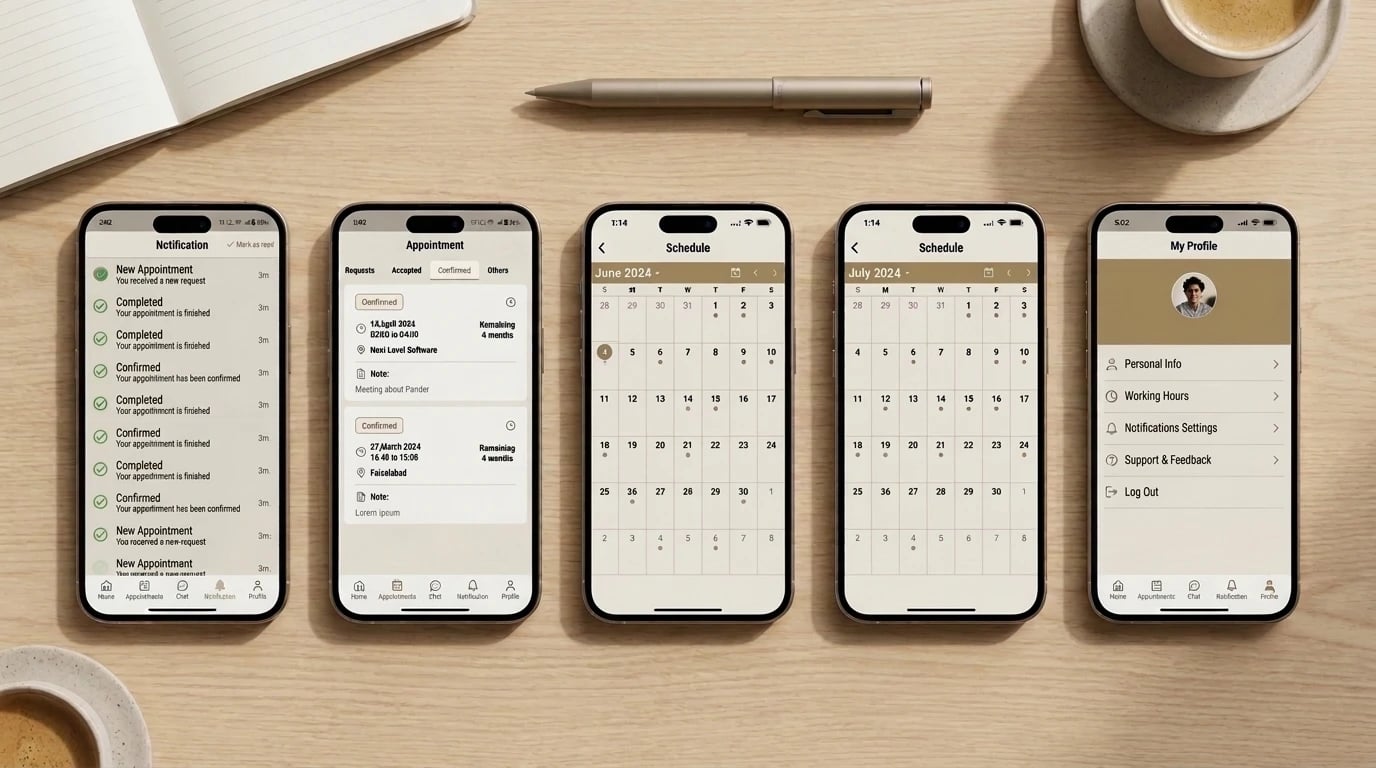
Pander is a scheduling app for teams. Orders and appointments are created with everything attached — time, place, notes — and land on one shared calendar that updates in real time, with an admin panel above it. Live on the App Store since 2023.
Team sizes and booking volume are the client's to share, and they are not on this page. What is on this page is what was built and why it was built that way.
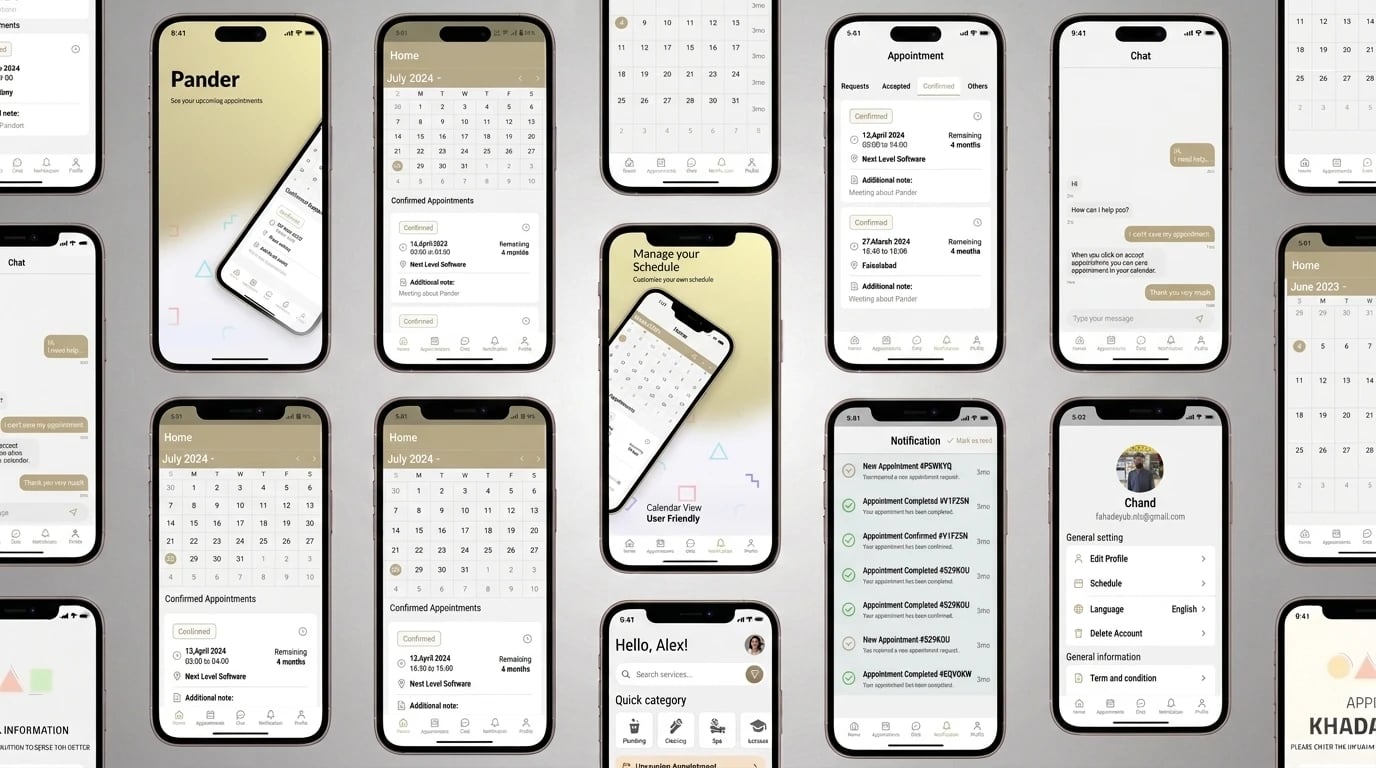
Pander is an appointment and schedule management app for teams. Orders are created with all the details they need, appointments are scheduled with time, location and notes, and every booking moves through clear stages — requested, accepted, confirmed — on a calendar the whole team works from. Chat, notifications and a personal schedule with working hours sit alongside it.
The brief covered the app and an admin panel to run it: users, appointments and orders managed from the web, with reporting on what the team is booking. The app went live on the App Store in June 2023 and is still being updated, on version 2.1.5 in 2026.
When each person keeps their own notes, the team's schedule only exists in someone's head. Two people book the same slot, an order is agreed without the appointment that delivers it, and nobody can see at a glance what is confirmed and what is still just a request.
Fixing that is not just a shared calendar. An appointment needs its details attached — where, when, what was agreed — and it needs a status everyone trusts. If the app shows a booking as confirmed when it is not, the team goes back to their notes.
Every booking in Pander has an owner, a set of details and a status, and every change to any of them reaches the rest of the team immediately.
The app opens on the month view with booked days marked and confirmed appointments listed underneath, so the first thing anyone sees is the team's actual schedule.
Appointments sit in Requests, Accepted, Confirmed or Others, each showing the time remaining, the location and any additional note — so the status of a booking is never a guess.
Orders are created with all their details and appointments are scheduled against them, so the work agreed and the time booked to deliver it are the same record.
New, accepted, confirmed and completed appointments trigger live updates over Socket.io, with push notifications and email when the app is closed.
In-app chat and a helpdesk keep questions about a booking next to the booking, instead of in a separate messaging app.
An Angular dashboard manages users, appointments and orders, with analytics and reporting on what the team is booking.
Appointments and orders sit in one shared view, so the whole team works from the same schedule instead of separate notes.
Every booking shows its stage — requested, accepted or confirmed — so nobody has to ask whether a slot is really taken.
Time, location and notes travel with each appointment, so whoever picks it up has the details agreed.
Changes reach the team in real time, with push and email notifications for new, confirmed and completed appointments.
Each person sets their own schedule and working hours, so bookings land when people are actually available.
The app has been live on the App Store since 2023 and is still being updated in 2026.
Is your team's schedule still living in separate notes?
The Flutter app and the Angular admin panel read the same bookings, so a change in either shows up in both.

Every tool below is in the build — no résumé-ware.
By making the calendar the single source of truth and pushing every change to everyone at once. On Pander, appointments move through clear stages — requested, accepted, confirmed — and each change is sent to the team over sockets as it happens, so nobody is booking against a stale view of the schedule.
Yes, and they should be. In Pander an order carries its details and the appointment that delivers it is scheduled against it, so the work agreed and the time booked to do it are one record instead of two notes that drift apart.
Yes. Pander has an Angular admin panel alongside the Flutter app, reading the same bookings — users, appointments and orders are managed from the web, with analytics and reporting on what the team is booking.
It depends on how many roles book, how bookings are approved and what the admin side needs to do. An app plus admin panel like Pander is scoped in phases and quoted fixed-price after a free scoping call.
Shared calendars, booking stages, real-time updates and an admin panel to run it.
See how we'd scope yours.