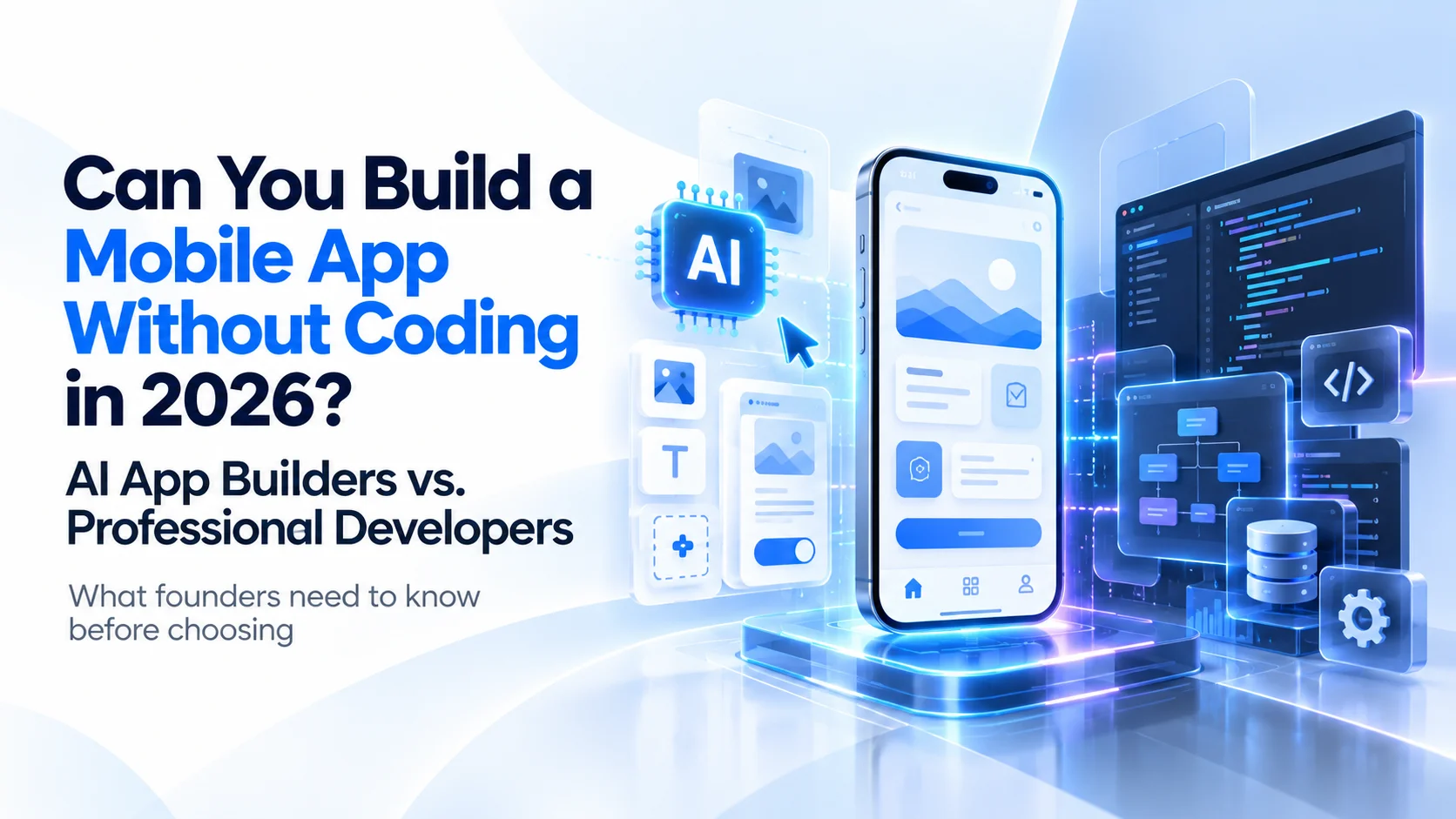
Can You Build a Mobile App Without Coding in 2026? AI App Builders vs. Professional Developers
AI app builders can turn ideas into working applications without traditional coding. But can they replace professional developers? Here is what founders need to know before choosing.
Sections
Yes, you can build a mobile app without coding in 2026. AI-powered tools can generate app screens, connect databases, create user accounts, and even help publish applications to the Apple App Store and Google Play.
Tools like FlutterFlow, Adalo, and Bubble have made mobile app development more accessible to people without programming experience. Instead of writing thousands of lines of code, founders can describe what they want, use visual editors, and connect ready-made components.
But there is an important difference between building an app that works in a demonstration and building a product customers can depend on.
A simple appointment booking app might work well on a no-code platform. A marketplace handling thousands of bookings, multiple payment methods, merchant accounts, refunds, and real-time updates brings additional challenges.
The question for business owners is no longer simply whether AI can build an app.
It is whether AI app builders can build the specific product your business needs, at a cost and level of reliability that make sense.
This guide compares AI app builders with professional mobile app developers, explains the real benefits and limitations of each approach, and helps you choose a practical development strategy for 2026.
What Does Building a Mobile App Without Coding Actually Mean?
Building an app without coding means creating software without manually writing most or all of the programming code.
In traditional development, engineers use programming languages and frameworks such as Swift, Kotlin, Flutter, or React Native. They design the application interface, create the business logic, connect databases, and manage the underlying infrastructure.
No-code platforms simplify that process through visual components, automated workflows, prebuilt integrations, and increasingly, artificial intelligence.
There are three common approaches in 2026.
1. Traditional No-Code App Builders
Traditional no-code platforms let users create applications using drag-and-drop interfaces.
You select components such as login screens, buttons, forms, lists, and navigation menus. You then configure how those components interact with data.
This works particularly well for applications with clearly defined processes, including basic booking systems, directories, customer portals, and internal business tools.
The limitation is that your application generally needs to operate within the features, integrations, and customization options supported by the platform.
2. AI-Powered App Builders
AI app builders take the process further by allowing users to describe what they want in natural language.
For example, a business owner could enter:
"Create a fitness booking app where customers can register, browse available classes, reserve a time slot, and view their booking history."
An AI builder may generate the initial screens, navigation, database structures, and some application logic.
The result can be impressive because founders can see a working version of their idea without hiring a development team first.
However, generated features still need to be reviewed and tested. AI does not automatically understand every business rule, unusual customer situation, integration requirement, or security concern.
3. AI-Assisted Professional Development
The third approach combines AI tools with professional developers.
Engineers use AI to help generate code, explain existing systems, write tests, investigate problems, and speed up repetitive development tasks.
The developers remain responsible for product architecture, technical decisions, code review, security, testing, and deployment.
This approach can deliver the productivity benefits of AI while maintaining more control over the final product.
It is also important to distinguish between a no-code platform and an AI coding tool. A coding agent can generate an editable application codebase, while a no-code platform may keep much of the implementation inside its own managed environment.
Best AI App Builders for Mobile Apps in 2026
Several platforms now offer genuine mobile application development capabilities, but not all produce the same type of app.
Some generate mobile-friendly websites. Others create installable iOS and Android applications.
For non-technical founders, this distinction matters because a mobile-friendly website is not automatically the same as an application published on the App Store.
1. FlutterFlow
FlutterFlow is a visual application development platform based on Google's Flutter framework.
It supports mobile application development and offers features such as AI generation, visual logic building, API integration, and custom code.
Key capabilities:
Build applications for iOS and Android.
Generate initial application components using AI.
Connect APIs and backend services such as Firebase and Supabase.
Customize application workflows.
Export Flutter source code on eligible plans.
Support app store deployment.
One important advantage is code export. A business can start with FlutterFlow and later have professional Flutter developers review or extend the exported project.
However, exported code is not automatically production-ready. Complex architecture, custom functionality, maintainability, and testing may still require engineering work.
Best suited for: Founders building mobile MVPs who want visual development with a potential path toward greater code ownership and customization.
2. Adalo
Adalo is a no-code platform designed to help users build database-driven applications.
Its AI builder, Ada, can generate application foundations from natural-language descriptions.
According to Adalo's 2026 documentation, the platform supports building and publishing native iOS and Android applications, alongside web applications.
Key capabilities:
AI-generated application screens and navigation.
Database and user authentication setup.
Visual editing of layouts and workflows.
Native iOS and Android publishing.
API connections and common business features.
Adalo can be useful when a business needs a relatively straightforward app without managing a traditional software development process.
For example, an early-stage company could create an appointment booking application with user profiles and basic scheduling features.
However, highly customized workflows or requirements outside the platform's supported capabilities may introduce limitations.
Best suited for: Small businesses and non-technical founders creating straightforward mobile applications with standard workflows.
3. Bubble
Bubble is a visual development platform known for building web applications.
Its native mobile offering, introduced in public beta in 2025, allows users to create mobile applications for iOS and Android without traditional programming.
By 2026, Bubble's mobile offering includes AI generation, native mobile interfaces, visual workflows, and app store publishing capabilities.
Key capabilities:
AI-assisted app generation.
Visual database and workflow development.
Native iOS and Android application support.
Shared backend functionality between web and mobile products.
Integrations and subscription features.
Bubble may appeal to businesses planning both a web platform and a mobile application that share data and workflows.
However, founders should evaluate platform dependency, available customization options, and the cost of operating the application as usage grows.
Best suited for: Founders who want to build web and mobile products using a connected no-code development environment.
4. Lovable
Lovable is an AI application builder that allows users to create web applications through conversational prompts.
It can produce mobile-responsive applications and progressive web apps (PWAs), which can be opened through a browser and added to a phone's home screen.
However, according to Lovable's published mobile app documentation, it does not directly produce native App Store or Google Play packages.
This makes it important to distinguish an installable PWA from an independently packaged native mobile application.
Key capabilities:
Natural-language application generation.
Mobile-responsive interfaces.
Web application development.
PWA functionality.
Editable generated code.
Lovable can be a practical choice for demonstrating ideas and validating workflows before investing in a native mobile application.
Best suited for: Rapid web app prototypes, mobile-friendly MVPs, and products that do not initially require native app store distribution.
AI App Builders vs. Professional Developers: Key Differences
AI app builders and professional development teams solve overlapping problems, but they offer different levels of flexibility, responsibility, and control.
FactorAI / No-Code App BuildersProfessional DevelopersInitial development speedOften fast for standard featuresDepends on complexity and planningUpfront costUsually lower for simple applicationsUsually higherCoding knowledgeLittle or none requiredProfessional programming expertiseCustomizationDepends on platform capabilitiesGreater control over implementationApp store publishingSupported by some platformsSupported through normal development workflowsComplex integrationsMay require workarounds or custom codeCan be designed around specific requirementsSecurityDepends on platform configuration and implementationCan be engineered and independently testedScalabilityDepends on platform limits and architectureCan be tailored to expected growthSource code ownershipVaries by platformCan be contractually assigned to the businessOngoing maintenanceBuilder and platform-dependentRequires an engineering maintenance process
Neither approach guarantees a successful product.
A well-built no-code application may perform better than a poorly engineered custom application. Similarly, hiring developers does not automatically guarantee good architecture or secure software.
The main advantage of professional development is the ability to design, test, and control more of the system around the actual requirements of the business.
What Can You Realistically Build With AI App Builders?
AI-powered builders are particularly useful when application requirements are simple, predictable, and supported by existing platform features.
Consider a local fitness trainer who wants customers to browse sessions, submit bookings, and receive confirmations.
A no-code platform may be enough to build and launch the initial application.
Other suitable examples include basic service directories, event registration apps, internal employee tools, simple member portals, and early community applications.
These products generally depend on standard features such as forms, authentication, database records, and notifications.
The situation becomes more complicated when an application needs to coordinate several independent business processes.
Imagine turning the fitness booking app into a marketplace where customers can book classes across different gyms, purchase memberships, receive refunds, and pay through regional payment providers.
Gym operators also need dashboards to manage schedules, subscriptions, and revenue. Administrators need to approve merchants, investigate transactions, and manage the entire platform.
At this stage, the challenge is no longer just creating application screens.
The business needs a reliable system connecting several different users, workflows, and financial operations.
Some no-code platforms can support sophisticated applications, but founders should verify that the exact workflows they need are practical, maintainable, and financially sustainable on their chosen platform.
Where AI App Builders Can Become Challenging
AI tools can speed up development, but faster initial creation does not automatically eliminate the work required to maintain a successful application.
Several areas deserve particular attention.
1. Complex Business Logic
Business rules often become more complicated than they appear in the first product description.
Consider a booking application that lets customers reserve sports facilities.
Initially, it may only need to display available time slots and save bookings.
Later, the business introduces memberships, different pricing for peak hours, recurring reservations, cancellation policies, promotional discounts, and refunds.
These rules need to work together consistently.
The system must prevent conflicting bookings, handle simultaneous requests, and maintain accurate records.
An AI builder may generate individual features, but complex interactions between those features require careful design and testing.
2. Security and User Data Protection
Mobile applications often handle sensitive information, including personal details, account credentials, addresses, and payment-related records.
AI-generated code and no-code applications are not automatically insecure. Their security depends on architecture, access controls, configuration, underlying services, and testing.
For example, a booking application should ensure that one customer cannot access another customer's private records simply by changing a request.
It should also prevent unauthorized users from accessing administrative functionality.
The OWASP Mobile Application Security Verification Standard provides established security controls covering areas such as authentication, authorization, data storage, cryptography, network communication, and privacy.
Businesses should review security requirements before launch, regardless of whether the application was built using AI, no-code tools, or custom development.
3. Performance and Scalability
An application working with 20 test users does not prove it can handle thousands of customers.
As usage increases, application performance can be affected by database queries, inefficient workflows, API limits, external integrations, and infrastructure costs.
Many managed no-code platforms provide hosting and scaling capabilities. That can reduce the infrastructure burden for founders.
However, performance still depends on the application design and the platform's supported limits.
For custom-built applications, professional developers can optimize database operations, introduce caching, design background processing, and adjust infrastructure based on actual usage.
The right approach depends on expected user activity, the complexity of operations, and the business's growth plans.
4. Code Ownership and Platform Dependency
One of the most important questions to ask before using a no-code builder is:
What happens if we want to leave this platform?
Some tools, including FlutterFlow, provide source code export on eligible plans.
Others rely more heavily on proprietary workflows, hosted environments, and managed infrastructure.
Having access to customer data does not necessarily mean you can export the complete application and run it independently elsewhere.
Before choosing a builder, check whether you can export the source code, database records, assets, and application configuration.
Also review the work required to migrate to another platform.
This becomes especially important when the application is a core business asset rather than a temporary experiment.
5. Testing and Maintenance
A feature working correctly during a demonstration is only the beginning.
Production applications must handle unsuccessful payments, lost internet connections, invalid data, unexpected user actions, expired sessions, and external service failures.
They also need updates as operating systems, devices, payment providers, and business requirements change.
AI can help generate tests and identify some technical issues, but it does not replace the need to verify real application behavior.
A reliable development process should include functional testing, security checks, performance testing where appropriate, release validation, and ongoing maintenance.
Can You Publish an AI-Built App to the App Store and Google Play?
Yes. Applications developed with AI or no-code tools can be published to the Apple App Store and Google Play, provided they meet the relevant technical and policy requirements.
Platforms such as Adalo, FlutterFlow, and Bubble offer mobile publishing capabilities.
However, generating an application does not guarantee approval.
Apple's App Review Guidelines require applications to provide sufficient functionality and value.
Under guideline 4.2, Apple explains that an application should offer more than a repackaged website.
Google Play also applies quality, privacy, security, and content requirements to published applications.
For apps that generate content using AI, developers must additionally consider Google's AI-Generated Content policy.
In October 2026, Google also introduced a simpler way for U.S. users to launch personal AI-created apps through Google Play without putting those apps in the public store catalog. This does not remove the normal review requirements for publicly distributed applications.
Before publishing, founders should verify their app's functionality, privacy practices, store listing information, testing results, and applicable platform policies.
The tool used to create an application does not remove the owner's responsibility for the final product.
How Much Does It Cost to Build a Mobile App Without Coding in 2026?
The cost of no-code development depends on more than the subscription price advertised by the builder.
Many tools offer free plans for experimentation, with paid subscriptions required for additional functionality, code export, production capacity, or app store deployment.
For example, FlutterFlow's publicly listed Basic plan was priced at $39 per month in October 2026, with access to features including code download and app deployment.
However, the builder subscription is only one part of the total cost.
A business may also need to pay for:
Backend hosting and database usage.
Payment processing fees.
External API integrations.
AI model usage or generation credits.
Apple and Google developer accounts.
Additional platform capacity.
Security reviews, testing, and maintenance.
Professional assistance for complex features.
A small internal application may operate with relatively low ongoing costs.
A commercial marketplace with payments, messaging, AI features, and thousands of active users may require a much larger operating budget.
Professional developers generally involve a higher initial investment, but they can also create a system designed around specific performance, infrastructure, and maintenance requirements.
This does not mean custom development is always cheaper in the long run.
The comparison should be based on total ownership costs rather than upfront pricing alone.
A Practical Cost Comparison
Imagine two founders building different products.
Founder A wants an app for a small yoga studio. Customers can browse classes, create accounts, and request bookings.
The app has a limited number of users, straightforward features, and no unusual integration requirements.
A no-code builder may provide the most economical route.
Founder B wants to create a regional fitness marketplace with hundreds of participating gyms.
The platform needs memberships, bookings, merchant dashboards, local payment integrations, subscription handling, and administration tools.
For this business, the biggest cost is not drawing the app screens. It is designing, integrating, and maintaining reliable operations.
A custom development team or a hybrid approach with professional engineering oversight may be more appropriate.
The lesson is simple: choose your development budget according to the complexity of your business, not the apparent simplicity of your initial app idea.
Real Example: Building a Fitness Marketplace With Professional Developers
At Next Level Software, we worked on FitFinds, a fitness marketplace designed for the Kuwait market.
The concept was to bring gym subscriptions, fitness class bookings, and fitness products into one connected platform.
From the customer's perspective, the app needed to make discovering and booking fitness services straightforward.
Behind the scenes, however, the product required several systems working together.
The completed solution included three connected products:
Customer Mobile App: An iOS and Android application supporting gym memberships, fitness class bookings, shopping, and payments.
Merchant Dashboard: A system for gyms and other participating businesses to manage subscriptions, schedules, promotions, and revenue.
Admin Panel: A centralized system for managing vendors, approvals, platform activities, and financial workflows.
All three products were connected through one backend.
The platform also supported English and Arabic, including right-to-left layouts, with regional payment integrations such as KNET and MyFatoorah.
The project went from concept to the Kuwait market in 12 weeks.
This example illustrates an important distinction.
Building the customer-facing screens was only one part of the project. The more important work involved connecting customer actions with merchant operations, payment systems, and administration.
Could some of these features be created using a no-code platform? Yes.
But the decision to use custom development was about controlling the overall system, its integrations, and the operational workflows required by the business.
You can explore the complete FitFinds mobile app development case study.
AI App Builders vs. Developers: Which Should You Choose?
The most practical way to decide is to consider your current product stage and future requirements.
Choose an AI App Builder When:
You want to test an idea before making a large investment.
Your application depends mainly on standard features.
You have a limited initial budget.
You need a quick prototype or internal business tool.
Your chosen platform supports the exact integrations you require.
You are comfortable operating within the platform's technical limitations.
For many first-time founders, this is a sensible way to begin.
You can test whether potential customers understand the application, need the service, and are willing to use or pay for it.
Choose Professional Developers When:
Your app requires complex business workflows.
You need custom payment or third-party integrations.
Your product includes several user types or connected applications.
Security, privacy, and reliability are critical requirements.
You need greater control over the architecture and source code.
Your application is expected to evolve into a core business platform.
A professional team can also help determine which features genuinely need custom development and which can be delivered through existing services.
Hiring developers should not mean building everything from scratch unnecessarily.
Choose a Hybrid Approach When:
You want to use AI tools to move quickly but also need professional expertise to prepare the application for real users.
A practical hybrid workflow might involve creating initial screens with AI, validating the product concept with potential customers, and then involving developers to review technical decisions.
Developers can assess whether the generated application is suitable for production, identify security or performance risks, improve the architecture, and prepare the product for launch.
This approach can reduce unnecessary early spending while preserving the option to build a more reliable long-term system.
What If You Have Already Built an App With AI?
Many founders have already started building applications using tools such as Lovable, FlutterFlow, Bubble, or AI coding assistants.
They may have working screens, user accounts, and an early version of the product.
But as they add more features, problems can start appearing.
Perhaps a new feature breaks an existing workflow. Maybe the database structure makes reporting difficult, or payment integration is more complicated than expected.
At this point, founders sometimes assume they must abandon the entire application and start over.
That is not always necessary.
The first step should be a technical review that determines what is working, what needs improvement, and which parts can be retained.
For code-based applications, developers can examine the architecture, repositories, dependencies, and implementation quality.
For proprietary no-code platforms, the review should focus on workflow design, supported customization, data portability, performance, and migration feasibility.
At Next Level Software, our Fix Your App service helps businesses assess broken, stalled, or AI-generated applications and determine the practical next steps.
The objective is not to replace AI-generated work automatically. It is to preserve what is useful and improve what prevents the product from moving forward.
How to Build a Mobile App Without Coding in 2026: A Practical Approach
If you are a non-technical founder considering an AI app builder, follow a structured process before investing significant time or money.
Step 1: Define the Problem Your App Solves
Start with the customer's problem, not the list of features you want.
For example, instead of describing your idea as a fitness app with profiles, notifications, payments, and dashboards, define the problem as helping customers find and book nearby fitness classes.
This makes it easier to identify the features that matter in the first version.
Step 2: Identify Your Minimum Viable Product
Your minimum viable product, or MVP, should focus on validating the most important assumptions behind your business.
For a fitness booking concept, that might mean customer registration, class listings, available slots, booking confirmation, and a basic administration interface.
Advanced recommendations, complex subscriptions, and additional marketplace functionality can be evaluated later.
A smaller first version is easier to test and improve.
Step 3: Choose the Right App Builder
Compare platforms based on the functionality your business actually needs.
Ask whether the builder supports native applications, mobile-friendly web apps, or both.
Check its database functionality, authentication features, API integrations, app store publishing options, source code export, and ongoing operating costs.
A platform that creates attractive screens is not necessarily the best platform for your product.
Step 4: Build and Test the First Version
Use AI generation or visual tools to create an initial application.
Then test complete user journeys rather than individual screens.
For a booking app, verify what happens when two users try to book the same slot, when a customer cancels, and when the internet connection fails.
Invite potential customers to use the product and observe where they experience confusion.
Step 5: Review Production Requirements
Before launching publicly, assess data protection, user permissions, payment behavior, performance, store requirements, and operational reliability.
If your product handles sensitive information, financial transactions, or complex integrations, consider professional technical review.
Step 6: Launch, Learn, and Improve
Your first launch should help you understand actual customer behavior.
Measure meaningful outcomes such as completed bookings, active users, customer feedback, conversion rates, and recurring usage.
Use these findings to decide whether to continue with the existing platform, improve the current architecture, or invest in additional custom development.
The goal is not to use the most advanced technology.
It is to build a product customers need and a business can maintain.
Will AI Replace Mobile App Developers?
AI is changing mobile app development, but it is not eliminating the need for software engineering judgment.
The work of generating screens, basic components, and routine code is becoming easier.
At the same time, businesses still need to make decisions about product requirements, system architecture, user experience, security, and long-term maintenance.
AI tools can help developers complete tasks more efficiently. They can also make software development more accessible to founders who previously could not afford to experiment with an application idea.
However, when a business depends on a software product, someone still needs to be responsible for its reliability and technical decisions.
The value of professional developers is increasingly tied to solving complex problems, connecting systems, validating AI-generated work, and delivering reliable products rather than simply producing code.
For founders, this creates more options rather than a single universal solution.
Final Verdict: Can You Build a Mobile App Without Coding in 2026?
Yes. AI app builders have made it possible for non-technical founders to create functional mobile applications, and some platforms support publishing directly to the Apple App Store and Google Play.
For simple applications, internal tools, and early product validation, no-code development can be a practical and affordable choice.
For products involving complex operations, sensitive information, custom integrations, or long-term technical requirements, professional development may provide greater flexibility and control.
The most effective option for many businesses is to use AI where it saves time and involve engineers where technical judgment is important.
You do not need to write code to start building an app in 2026. But you do need a clear plan for how the product will work, reach customers, and grow.
At Next Level Software, we help founders plan, build, launch, and improve mobile applications for iOS and Android.
Whether you have a new idea, an AI-generated prototype, or an existing application that needs improvement, the right first step is understanding what your product actually requires.
Discuss Your Mobile App Project
Frequently Asked Questions
1. Can I create a mobile app using AI without any coding knowledge?
Yes. AI app builders such as Adalo, FlutterFlow, and Bubble allow users to create applications using natural-language instructions and visual interfaces. However, some advanced features may require technical configuration, integrations, or professional assistance.
2. What is the best AI app builder for mobile apps in 2026?
There is no single best platform for every project. FlutterFlow is worth considering when Flutter code export and customization matter. Adalo can suit straightforward native mobile applications, while Bubble supports connected web and native mobile development. Lovable is useful for mobile-friendly web applications and prototypes.
3. Can AI-generated apps be published to the Apple App Store?
Yes, provided the app is packaged appropriately and meets Apple's review guidelines. The development method does not guarantee approval. The application must satisfy requirements covering functionality, quality, privacy, and other applicable policies.
4. Are no-code apps secure?
No-code applications can be secure when their platform, configuration, integrations, and access controls are implemented correctly. Security is not automatic, however, and applications handling sensitive information should undergo appropriate testing and review.
5. Is it cheaper to build an app with AI or hire developers?
AI and no-code tools typically reduce initial development costs for simple applications. Professional development often costs more upfront but can offer greater control over complex functionality. The long-term comparison should include subscription fees, infrastructure, maintenance, customization, and migration costs.
6. Can I convert a no-code app into a custom mobile app later?
Sometimes. The process depends on the platform. FlutterFlow supports code export on eligible plans, while other platforms may require parts of the application to be rebuilt. Founders should check source code ownership and data export options before choosing a builder.
7. Do I still need developers if AI can build my app?
Not necessarily for a basic application. However, professional developers can be valuable when a product requires complex business logic, custom integrations, security review, performance optimization, or a more maintainable architecture.
8. Can I use AI to build an MVP and hire developers later?
Yes. This can be a practical strategy for founders who want to validate an idea before investing in custom development. Keep product requirements, design files, data structures, and available source code organized to make a future handover easier.
Research Sources and References
The following resources informed the platform comparisons, publishing requirements, and security recommendations in this article. Product capabilities and subscription prices should be checked again before making a purchase or publishing decision.
FlutterFlow Pricing and Platform Features — Current plans, app-building capabilities, code export, and deployment features.
FlutterFlow Project Export Documentation — Official guidance for exporting FlutterFlow project code.
Adalo AI App Builder — AI generation, database features, and native mobile publishing.
Bubble Native Mobile App Builder — Native iOS and Android support, workflows, and publishing capabilities.
Lovable Mobile App Builder — Mobile-friendly web applications, PWA functionality, and native app limitations.
Apple App Store Review Guidelines — App approval, minimum functionality, privacy, and technical requirements.
Google Play AI-Generated Content Policy — Requirements for applications with generative AI content.
OWASP Mobile Application Security Verification Standard — Security standards and verification guidance for mobile applications.
Next Level Software FitFinds Case Study — A production fitness marketplace built with mobile apps, merchant operations, and a shared backend.
Keep reading
Fitness Apps Rank #2 in ACSM's 2027 Trends: What Gym Owners Should Do
ACSM's 2027 Worldwide Fitness Trends report ranks mobile exercise apps second. Learn what it means for gym owners, which app features matter, and when custom fitness software makes sense.
Abdullah · · 19 min read
How to Build a Ride-Hailing Application in 2026: Features, Cost & Development Guide
Learn how to build a ride-hailing application in 2026, including essential features, technology stack, development costs, timelines, and lessons from our iTaxi MX project.
Abdullah · · 20 min read
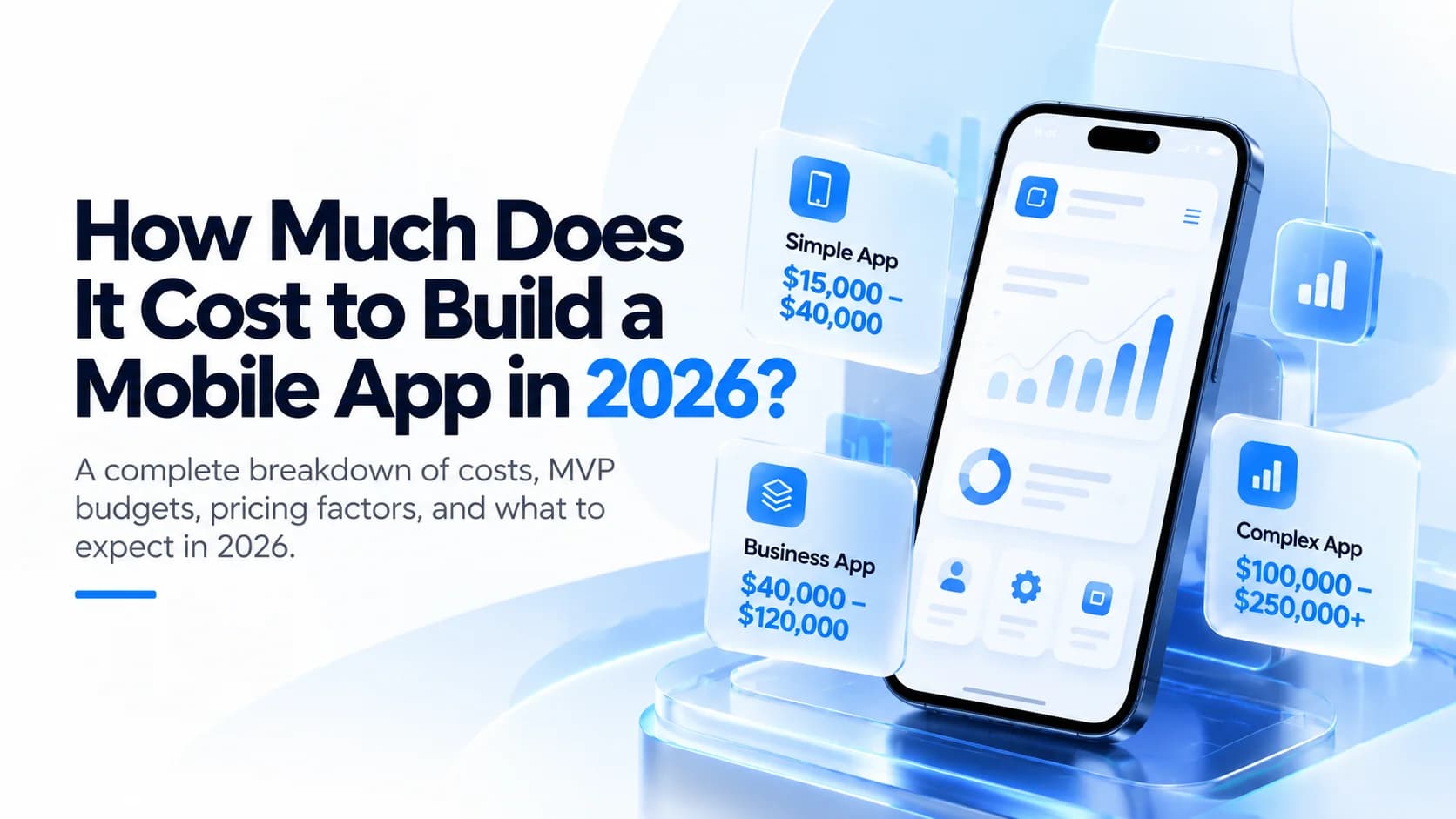
How Much Does It Cost to Build a Mobile App in 2026?
How much does a mobile app cost in 2026? Explore realistic development price ranges, MVP costs, major pricing factors, hidden expenses, and ways to budget smarter.
Khubaib Rasheed · · 17 min read