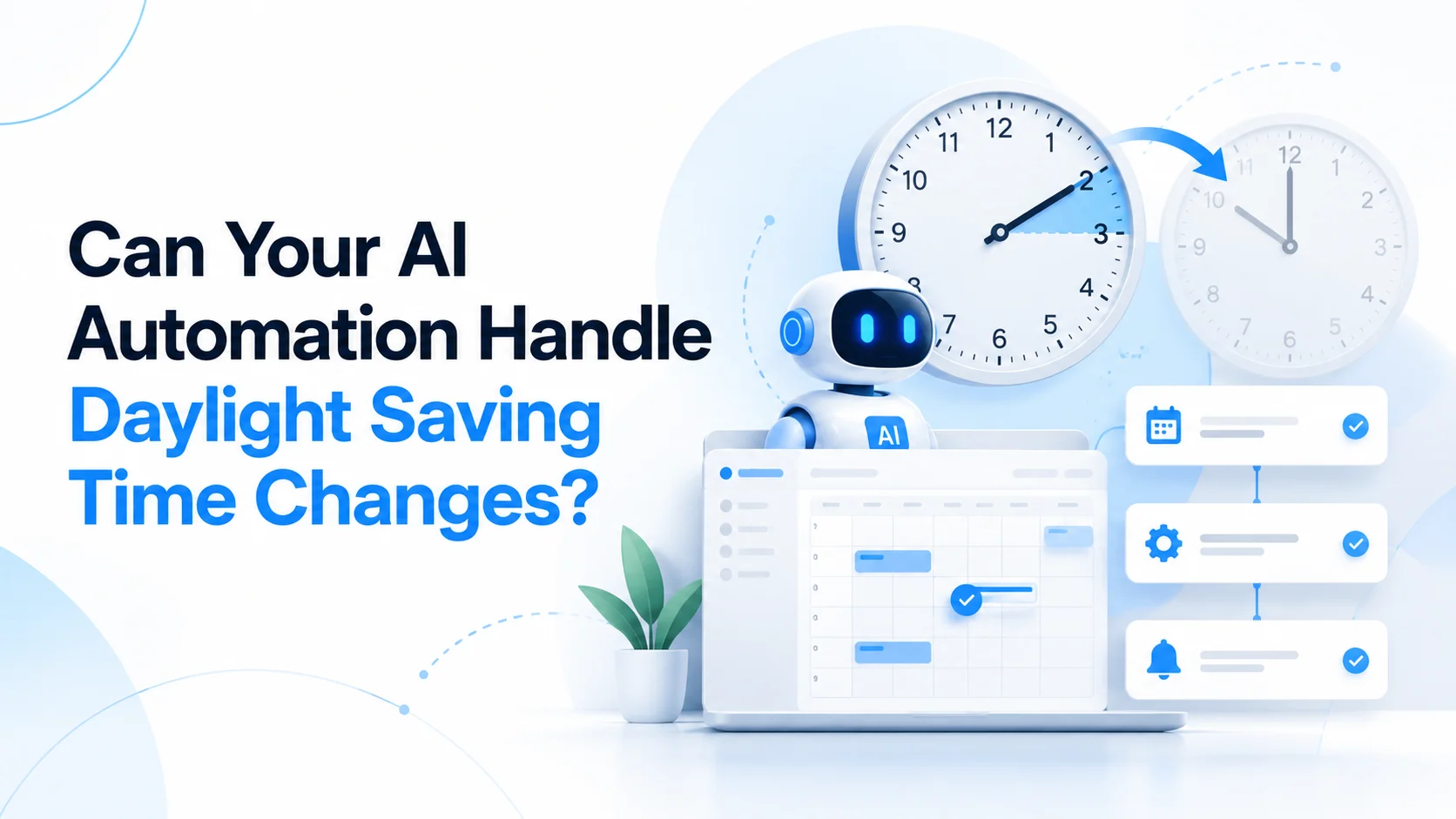
Can Your AI Automation Handle Daylight Saving Time Changes?
A one-hour clock change could disrupt your AI agents, customer reminders, bookings and business workflows. Here's how to prevent scheduling failures.
Sections
Imagine your AI assistant schedules customer appointments, sends payment reminders, follows up with leads, and generates daily reports. Everything works as expected until the clocks change by one hour. Suddenly, a reminder arrives late, a scheduled workflow runs at the wrong time, or an automated task executes twice.
This is a real engineering risk for businesses that depend on automated workflows. As daylight saving time ends across the UK, Europe, and the United States in October and November 2026, software systems must handle time changes without disrupting operations.
The question is simple: Can your AI automation handle daylight saving time changes without human intervention? The answer depends less on how intelligent your AI model is and more on how reliably your automation infrastructure manages time zones, schedules, and recurring events.
Why Daylight Saving Time Matters for AI Automation in 2026
Daylight saving time (DST) is the practice of adjusting clocks forward or backward by one hour during certain parts of the year. While this may seem like a small adjustment, it can create unexpected behavior in systems that depend on specific execution times.
In 2026, daylight saving time ended in the United Kingdom and much of Europe on October 25. In most US locations that observe DST, clocks will move backward on November 1, 2026, at 2:00 a.m. local time. The previous spring transition occurred on March 8, when clocks moved forward by one hour.
These transitions produce two unusual situations. During the spring transition, certain local times do not exist because the clock moves forward. During the autumn transition, certain local times occur twice because the clock moves backward.
For humans, adjusting a clock is relatively straightforward. For automated systems, however, a repeated or missing hour creates questions about when a scheduled task should execute and whether it should run at all.
What Can Go Wrong When AI Automation Ignores Daylight Saving Time?
AI-powered business processes often combine language models, external APIs, scheduling tools, databases, and notification services. Even when the AI model works correctly, a problem in one scheduling component can affect the complete workflow.
1. Customer Reminders Arrive at the Wrong Time
Consider a healthcare clinic using an AI assistant to manage appointment reminders. A customer books an appointment for 9:00 a.m. in New York, and the system is configured to send a reminder two hours before the appointment.
If the automation assumes New York always operates at UTC-4, it may calculate the reminder incorrectly after the city returns to UTC-5 in November. The appointment time remains 9:00 a.m. locally, but the corresponding UTC time changes.
Depending on how the reminder is scheduled, customers may receive notifications earlier or later than intended. The same problem can affect restaurants, fitness studios, consultation platforms, and other appointment-based businesses.
2. Automated Workflows Run Twice or Not at All
Suppose a business runs a scheduled automation every day at 1:30 a.m. When clocks move backward, 1:30 a.m. can occur twice in certain regions. A scheduler that does not explicitly manage this situation may trigger the workflow twice.
The opposite problem can happen in spring. A task scheduled for 2:30 a.m. may fall within an hour that does not exist, causing the execution to be skipped or handled according to the scheduler's configured behavior.
Not all scheduling systems behave identically. For example, Amazon EventBridge Scheduler documents that its daylight-saving-aware cron schedules skip nonexistent spring times and run once during repeated autumn times. Businesses must understand the specific behavior of their scheduling provider rather than assume every platform handles these transitions automatically.
Reference: AWS EventBridge Scheduler documentation.
3. AI Sales Agents Follow Up at Inappropriate Hours
AI sales agents increasingly support businesses by qualifying leads, arranging meetings, preparing follow-up messages, and coordinating outreach across different regions.
Imagine a US-focused sales automation that contacts prospects at 9:00 a.m. Eastern Time. If the system uses a fixed UTC offset rather than the actual time zone, the outreach schedule may shift by an hour when daylight saving time changes.
This can affect scheduled emails, meeting suggestions, customer support handoffs, and automated follow-up sequences. The problem becomes more complicated when an AI agent serves customers in multiple countries with different daylight saving rules.
The important distinction is that the AI model may generate the correct message while the scheduling system delivers it at the wrong moment.
4. Booking Systems Can Create Conflicting Reservations
Booking platforms must distinguish between the time a customer sees and the exact moment an appointment takes place. These are not always interchangeable during daylight saving transitions.
For example, a customer selecting 1:30 a.m. on November 1, 2026, in New York encounters a repeated local hour. That time can correspond to two different moments, each with a different UTC offset.
If the booking platform stores only the date and local clock time without enough time zone information, it may become difficult to identify which occurrence the customer intended. Poor handling can lead to conflicting reservations, incorrect reminders, or inaccurate availability.
For businesses building booking and scheduling applications, daylight saving behavior should therefore be part of the system design, not an issue discovered after launch.
Why AI Models Alone Cannot Solve Time Zone Problems
Modern AI models can interpret phrases such as "schedule this meeting for tomorrow at 10 a.m." or "send a reminder one hour before the appointment." However, understanding a scheduling request and executing it correctly are separate responsibilities.
An AI agent may interpret the user's instructions and pass structured scheduling information to a calendar API, database, or background job scheduler. The reliability of the final action depends on those connected systems handling dates and time zones correctly.
For example, consider someone asking an AI assistant to schedule a meeting for 9:00 a.m. every Monday in London. A reliable system must preserve that local meeting time even when London's offset from UTC changes throughout the year.
Storing the schedule using a fixed UTC offset does not adequately represent that requirement. The system needs an actual time zone, such as Europe/London, and an appropriate recurrence policy.
Google Calendar's API, for example, uses IANA time zone identifiers for recurring events so that their occurrences can be expanded according to the relevant time zone rules.
Reference: Google Calendar API documentation.
The lesson for founders is that a capable AI model does not automatically make an automation production-ready. Reliable execution requires the right infrastructure, validation rules, scheduling behavior, and operational monitoring.
How to Make AI Automation Daylight-Saving-Time Ready
Businesses do not need to redesign every automation before a clock change. However, systems that handle appointments, recurring workflows, deadlines, or time-sensitive notifications should follow a few important engineering principles.
1. Store Exact Timestamps in UTC
For events that occur at one specific moment, storing an unambiguous timestamp in Coordinated Universal Time (UTC) helps avoid confusion between different local offsets.
For instance, an appointment scheduled in New York can be converted into UTC for execution and storage, then displayed in the user's local time zone when needed.
However, storing UTC alone is not enough for every use case. Recurring activities such as "every Monday at 9:00 a.m. local time" also need the original time zone and recurrence rules. Otherwise, a fixed UTC schedule can drift away from the intended local hour.
2. Use Named Time Zones Instead of Fixed Offsets
Time zone identifiers such as America/New_York, Europe/London, and Asia/Karachi contain the regional context needed to apply applicable clock-change rules.
A fixed offset such as UTC-5 does not describe New York throughout the entire year. As a result, relying only on fixed offsets can create errors when scheduling future tasks.
Developers should use maintained time zone databases and supported date-time libraries rather than manually calculating daylight saving transitions.
3. Define What Happens During Missing or Repeated Hours
Every time-sensitive automation should have a clear policy for daylight saving transitions. If a scheduled local time does not exist, should the task move to the next valid time or be skipped? If a local time repeats, should the task execute during the first occurrence, the second occurrence, or only once?
These decisions depend on the business process. A daily analytics report may tolerate a skipped execution, while a critical financial or operational workflow may require a different policy.
For repeated times, date-time libraries can help distinguish the two possible moments. Python's zoneinfo library, for example, supports a fold attribute for ambiguous times during backward clock transitions.
4. Prevent Duplicate Workflow Actions
Even with a daylight-saving-aware scheduler, businesses should protect important actions against duplicate execution. Scheduling services may retry failed deliveries, and distributed systems can process the same event more than once for reasons unrelated to daylight saving time.
Idempotency controls help ensure that processing the same logical event again does not create an unintended duplicate result. For example, a payment workflow can use a unique operation identifier to prevent the same payment request from being processed twice.
Similar controls can be applied to customer notifications, reservation confirmations, subscription renewals, and other sensitive automations.
5. Test Automations Before Clock Changes
Testing only on ordinary weekdays is insufficient for software that operates internationally. Development teams should test the actual daylight saving transition dates for the regions their customers use.
Verify that recurring tasks preserve the intended local execution time.
Test both the spring-forward and fall-back transitions.
Check how the scheduler handles nonexistent and repeated local hours.
Confirm that reminders use the correct appointment timestamp.
Test booking availability for ambiguous local times.
Verify that retries cannot create duplicate business actions.
Monitor failed, delayed, and unexpected workflow executions.
These tests should be part of the automated quality assurance process, especially for AI products that handle customer interactions or important business operations.
Real Business Example: AI Automation Needs Rules Beyond the Model
At Next Level Software, building reliable AI applications involves more than connecting an AI model to an interface. The surrounding product infrastructure must enforce business requirements, manage external services, and control what happens when automated actions are executed.
One relevant example is ALIFF, an AI-powered fashion styling application developed by Next Level Software. The product combines generative AI with structured modesty rules, caching, usage controls, and event-triggered notifications.
Rather than relying entirely on prompts, ALIFF uses a dedicated rule layer to validate generated recommendations before they reach users. Its lifecycle notifications are also tied to product events, such as completed image processing or subscription activity.
ALIFF is not presented as a daylight-saving-time remediation project. Instead, it demonstrates a broader engineering principle: important product behavior should be controlled by dependable application logic rather than left entirely to an AI model.
The same principle applies to scheduling. AI can interpret customer requests, but date-time validation, execution policies, and workflow safeguards should be handled by systems designed for those responsibilities.
Which Businesses Should Review Their AI Automations?
Any business that automates tasks based on dates, times, or regional schedules can benefit from a daylight saving review. The risk is especially relevant when the system serves customers across multiple time zones.
Healthcare and clinics: Appointment reminders, follow-ups, and patient scheduling.
Fitness and membership platforms: Class reservations, recurring sessions, and membership notifications.
Sales and marketing teams: AI lead follow-ups, scheduled outreach, and meeting coordination.
E-commerce businesses: Promotional campaigns, delivery windows, and scheduled customer notifications.
SaaS companies: Subscription events, recurring reports, background jobs, and account notifications.
Financial platforms: Scheduled transactions, reconciliation workflows, and reporting deadlines.
Not every automation faces the same level of risk. A workflow triggered immediately by an incoming event may be largely unaffected by clock changes. A workflow scheduled around a customer's local business hours, on the other hand, requires careful handling.
The priority should be to identify automations where incorrect timing can affect customers, financial records, operational reliability, or revenue.
What Business Owners Should Check Before November 1, 2026
With the US daylight saving transition approaching on November 1, businesses operating in affected regions have an opportunity to review their most important automations.
Start by identifying workflows that run at specific local times. Review how each workflow stores timestamps, identifies customer time zones, and handles recurring schedules. Then confirm whether the scheduler automatically adjusts for daylight saving changes and whether its default behavior matches the business requirement.
Pay particular attention to customer-facing tasks such as appointment reminders, booking confirmations, automated follow-ups, and subscription communications. These workflows can create visible customer problems even when the underlying AI model continues functioning normally.
For organizations building new AI products, these requirements should be included during architecture planning rather than postponed until the application reaches production.
Final Thoughts: Smart Automation Must Also Be Reliable
Daylight saving time exposes a common weakness in automated software systems: a workflow can appear intelligent and efficient while still depending on fragile assumptions about how time works.
A one-hour clock change does not automatically break every AI agent or automated workflow. Properly engineered systems can handle these transitions without disruption. Problems arise when scheduling rules, time zone information, retries, or recurring events are implemented without considering real-world conditions.
For businesses investing in AI, reliability should be measured by more than whether a model produces the right response. It also matters whether the application executes the correct action, at the correct time, without creating unexpected operational problems.
If your business is planning an AI-powered product or improving an existing workflow, explore Next Level Software's AI-assisted application development services. Our team helps businesses connect AI capabilities with dependable application architecture, business rules, and production workflows.
Need help reviewing your AI automation architecture? Discuss your project with Next Level Software.
Keep reading

Vibe Coding Is Not a Product Strategy: Why Startups Still Need Software Engineering
Vibe coding makes software easier to build, but hidden security risks, weak architecture, and scattered features can undermine startups. Learn why a focused, engineering-led MVP is a smarter investment.
Khubaib Rasheed · · 15 min read
AI Agents for Business Automation: Why Startups Are Moving Beyond Chatbots
AI agents are changing how startups automate business operations. Explore the difference between chatbots and AI agents, practical use cases, benefits, costs, and implementation risks.
Abdullah · · 20 min read
Microsoft's AI Software Factory: Will Businesses Soon Build Apps Without Developers?
Microsoft's AI Software Factory could change app development. Explore what Microsoft has demonstrated, what businesses can build with AI, and why developers still matter.
Khubaib Rasheed · · 18 min read